
Aelia Currency Switcher is a premium WooCommerce currency plugin that lets shoppers switch between multiple currencies and pay in their preferred one. When Aelia is active alongside Disco Pro, all discount amounts and price-based conditions automatically adjust to the shopper’s selected currency — ensuring your campaigns behave correctly regardless of which currency is displayed.
| 📌 Note: This compatibility is built into Disco Pro automatically. No extra configuration is required — simply have both plugins installed and active. |
Requirements #
- Disco Free v1.3.0 or later
- Disco Pro v1.1.0 or later
- Aelia Currency Switcher for WooCommerce (any recent version)
- WooCommerce is installed and active
Step-by-Step Setup #
Step 1: Install and Activate Aelia Currency Switcher
- Purchase and download Aelia Currency Switcher from aelia.co
- Go to WordPress Admin → Plugins → Add New → Upload Plugin
- Upload the Aelia zip file and click Activate
Step 2: Configure Currencies in Aelia
- Go to WooCommerce → Aelia Currency Switcher
- Add the currencies your store should support (e.g. USD, EUR, UAE)
- Set exchange rates for each currency
- Configure the currency switcher widget position if needed
- Save your settings
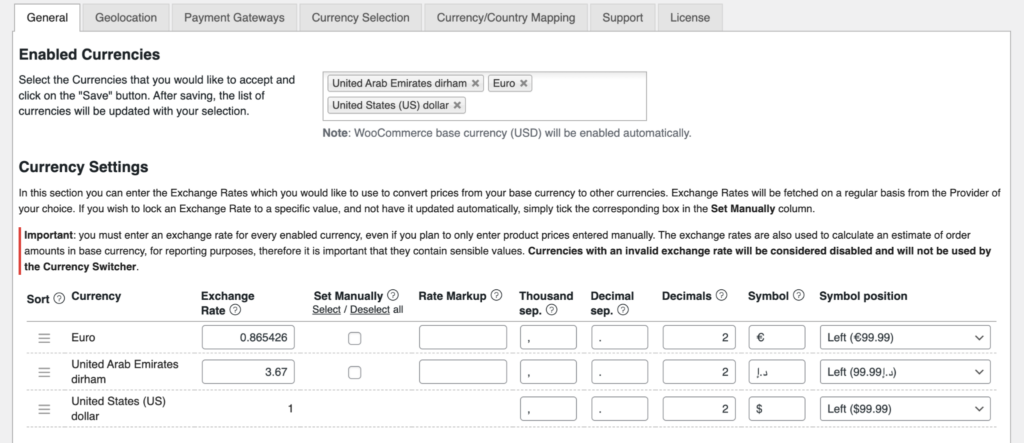
| ⚠️ Important: Ensure your WooCommerce base currency is correctly set under WooCommerce → Settings → General. Disco always treats the WooCommerce base currency as the source when converting discount amounts. |
Step 3: Install and Activate Disco Pro
- Install and activate Disco Free from the WordPress plugin repository
- Upload and activate the Disco Pro add-on
- Enter your license key under Disco → License and activate it
Step 4: Create a Campaign in Disco
- Go to Disco → Create Discount
- Choose your campaign type (e.g. Percentage, Fixed, Bulk)
- Set your discount rules, conditions, and product filters as normal
- Publish the campaign
No special currency settings are needed inside Disco. The Aelia compatibility layer handles all conversion silently in the background.
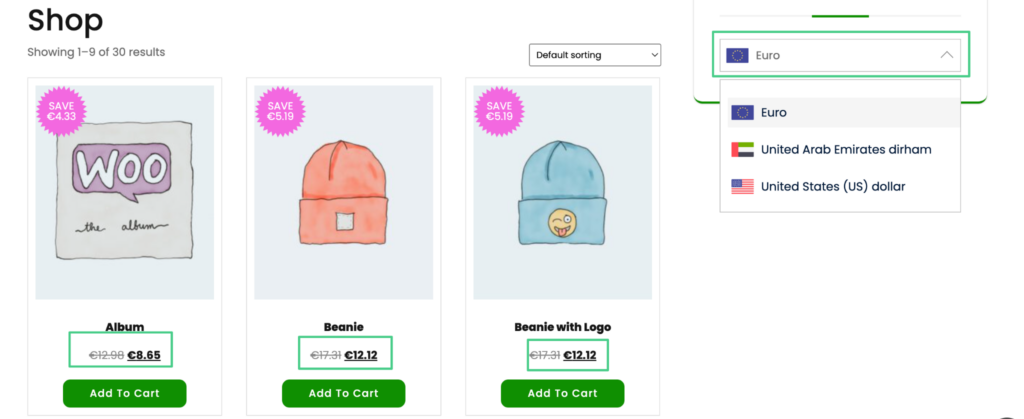
Result #
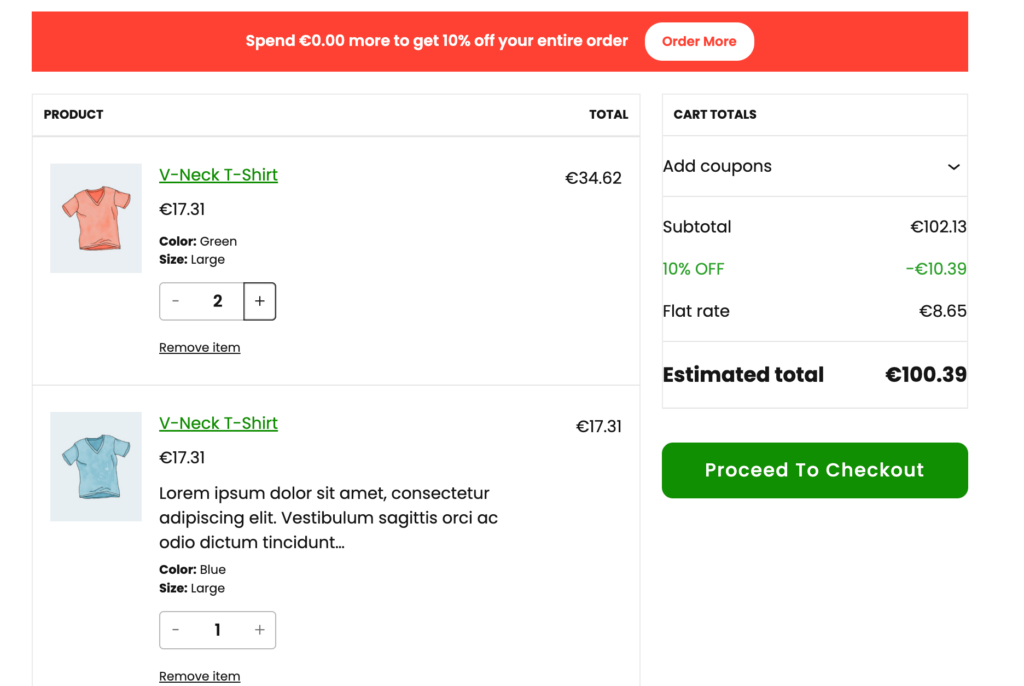
Once both plugins are active and your campaigns are live, shoppers will see correctly converted discount amounts and accurate condition evaluations as they switch currencies — with no additional configuration needed.
Example: A “$10 off when cart subtotal exceeds $100” campaign — a shopper browsing in EUR will have their cart evaluated against the equivalent EUR threshold, and will see a correctly converted discount amount (e.g. €9.20) applied at checkout.
| 📌 Note: Conversion accuracy depends on the exchange rates configured in Aelia Currency Switcher. Disco uses whatever rates Aelia provides — keep your Aelia exchange rates up to date for accurate discount display. |


