
WPML (WooCommerce Multilingual & Multicurrency) is a premium plugin that adds multi-language and multi-currency support to WooCommerce stores. When WPML is active alongside Disco Pro, discount amounts and price-based conditions automatically adjust to the shopper’s active currency — ensuring your campaigns apply correctly across all languages and currencies.
| 📌 Note: This compatibility is built into Disco Pro automatically. No extra configuration is required — simply have both plugins installed and active. |
Requirements #
- Disco Free v1.3.0 or later
- Disco Pro v1.1.0 or later
- WPML Multilingual CMS (premium plugin)
- WooCommerce Multilingual & Multicurrency (WCML — the WooCommerce add-on for WPML)
- WooCommerce installed and active
Step-by-Step Setup #
Step 1: Install and Activate WPML
- Purchase WPML and the WooCommerce Multilingual add-on from wpml.org
- Go to WordPress Admin → Plugins → Add New → Upload Plugin
- Upload and activate both WPML Multilingual CMS and WooCommerce Multilingual & Multicurrency
Step 2: Configure Currencies in WCML
- Go to WooCommerce → Currencies (WooCommerce Multilingual)
- Add the currencies your store should support (e.g. USD, EUR, GBP)
- Set exchange rates for each currency
- Configure currency switching rules per language if needed
- Save your settings
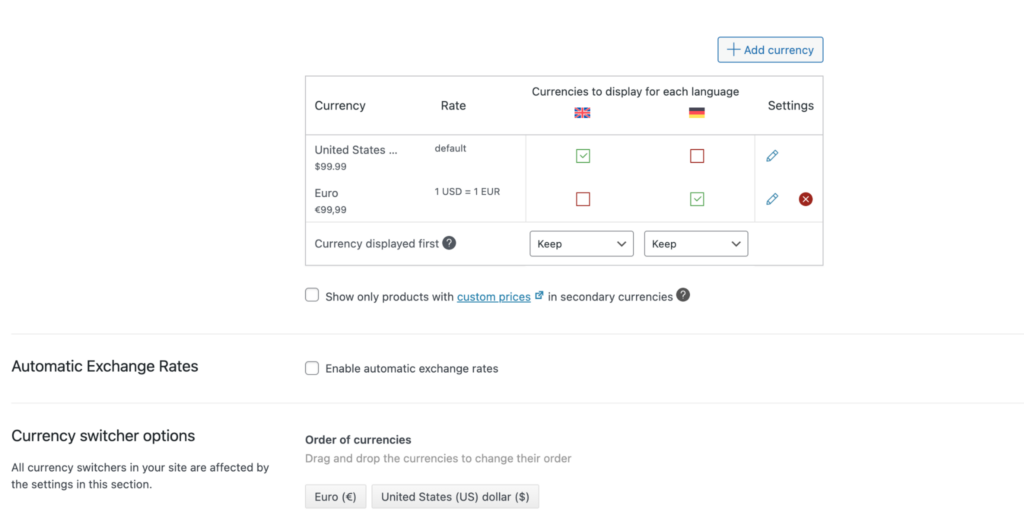
| ⚠️ Important: Ensure your WooCommerce base currency is correctly set under WooCommerce → Settings → General. Disco reads exchange rates from the _wcml_settings database option and always divides against the WooCommerce base currency rate. |
Step 3: Install and Activate Disco Pro
- Install and activate Disco Free from the WordPress plugin repository
- Upload and activate the Disco Pro add-on
- Enter your license key under Disco → License and activate it
Step 4: Create a Campaign in Disco
- Go to Disco → Create Discount
- Choose your campaign type (e.g. Percentage, Fixed, Bulk)
- Set your discount rules, conditions, and product filters as normal
- Publish the campaign
No special currency or language settings are needed inside Disco. The WPML compatibility layer handles all conversion automatically in the background.
Result #
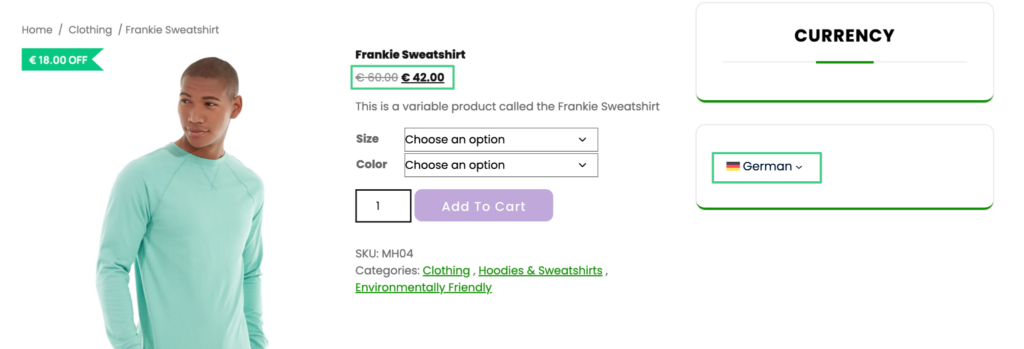
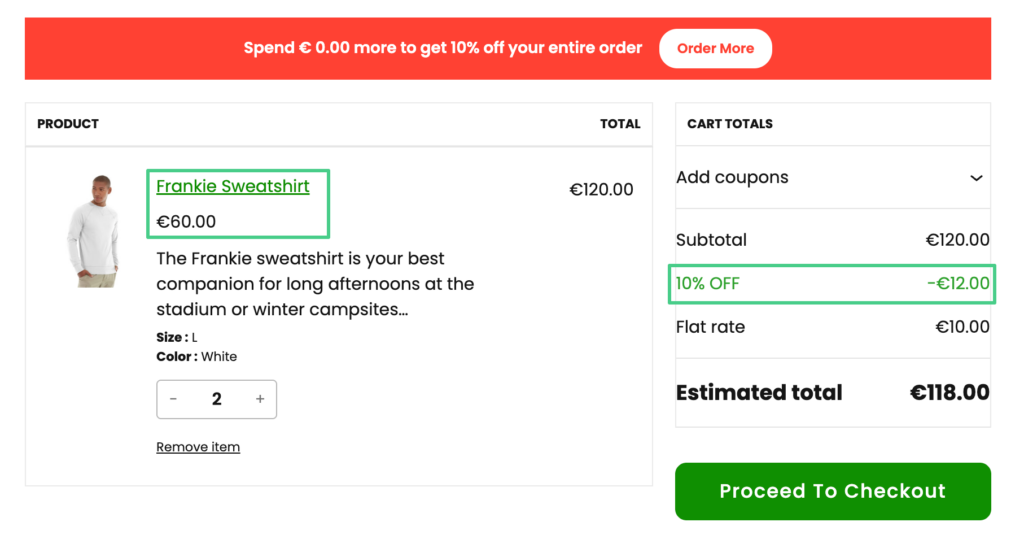
Once both plugins are active and your campaigns are live, shoppers will see correctly converted discount amounts and accurate condition evaluations as they switch currencies — across all languages configured in WPML.
Example: A “$10 off when cart subtotal exceeds $100” campaign — a shopper browsing in German with EUR as their currency will have their cart evaluated against the correct EUR threshold, and the discount will display as the converted EUR amount at checkout.
| 📌 Note: Conversion accuracy for price-based conditions depends on the exchange rates stored in _wcml_settings. Ensure your WCML exchange rates are kept up to date, especially if you use automatic rate updates. |


