A ticking clock snatches another moment away, tightening the grip of urgency.
Shoppers feel the primal rush to shop faster, driven by the fear of missing out on something valuable.
That’s exactly why the WooCommerce Countdown Timer Plugin is one of the most powerful conversion tools in your store.
In this guide, we’ve done the heavy lifting and rounded up the 7 best WooCommerce countdown timer plugins for 2026, including both free and premium options.
But we don’t stop at just listing them up. We unpack which timer styles convert best, where to place them for maximum effect, the common mistakes that cost you sales, and how to tell if your timer is actually doing its job.
At a Glance:
Best All-in-one: Disco — countdown timer, flash sales, multiple discount types, Free and Premium plans, single plugin.
Best Free: Hurrytimer — evergreen and static timers, zero cost
Most Cost-Effective: Sales Countdown Timer — all pro features at $20/year
Best Design: Countdown Builder — maximum customization, one-time payment
Top Campaign Tool: Thrive Ultimatum — powerful A/B testing and lockdown page support.
| Disclaimer: Disco is our in-house plugin. We built it after seeing how often store owners struggle with juggling two separate tools to run a simple timed sale. Disco solves this issue by automatically combining both into a single plugin. We’ll give you an honest look at its strengths and limits — no different from how we evaluate every other plugin in the list. This isn’t a sponsored mention; it is just a solution to tackle this common issue for store owners. |
Don’t Have Time to Read Everything? Start Here
This table covers the essentials: target user, standout feature, and pricing. Use it to get the lay of the land before narrowing down your choice.
| Plugin | Free Plan | Best For | Standout Feature | Price | Ratings |
| Hurrytimer | Yes | Evergreen campaigns | Best free offering | $39/yr | 4.8/5 |
| Sales Countdown Timer | Yes | Budget-friendly stores | Most affordable Pro plan | $20/yr | 4.6/5 |
| Disco (Featured) | Yes | All-in-one promotions (flash sales, bundles, and discount campaigns) | Combines multiple discount types in a workflow with automation. | $69/yr | 4.9/5 |
| Finale Lite | Yes | Campaign-based flash sales and seasonal promotions | Timer + counter bar + sticky header — all managed under one campaign setup | $29yr | 4.5/5 |
| Countdown Builder | Yes | Visual-customization | One-time pricing | $94.96 | 4.4/5 |
| WiseNotify | Trial only (14days) | Multi-platform stores advanced campaigns | 250+ integrations | $16/mo | 4.6/5 |
| Thrive Ultimatum | No | Advanced funnels | Evergreen scarcity system | $199/yr | 4.7/5 |
The 7 Top-Rated WooCommerce Product Countdown Timer Plugins — Reviewed
1.HurryTimer— Best Free WooCommerce Countdown Timer Plugin
Rating: 4.8 / 5
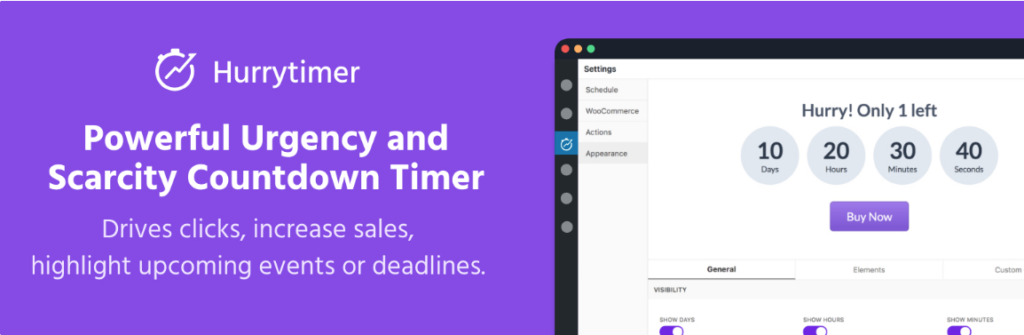
Hurrytimer earns its place at the top of the list for one very straightforward reason: Its free plan outperforms most plugins’ paid versions. For store owners who want a solid, reliable countdown timer without committing to a subscription, it’s the most accessible and transparent starting point.
What It Does
HurryTimers supports three types of countdown timers in WooCommerce: static, evergreen, and recurring. Most plugins restrict evergreen functionality to paid plans; HurryTimer offers it at no cost. With built-in cookie and IP tracking, each visitor sees a personalized countdown timer that stays consistent even after refreshes.
The plugin integrates with Native WooCommerce, allowing you to attach timers to products, categories, or full-store campaigns without shortcodes. Gutenberg and Elementor compatibility ensures full control across your store.
Key Features:
- Static, evergreen, and recurring timers
- Cookie + IP detection (free)
- Native WooCommerce Integration for products, categories, and campaigns
- Custom expiry actions
- Gutenberg and Elementor compatibility
PROs vs CONs
| PROs | CONs |
| Most generous free plan | Limited styling without Pro |
| Free evergreen timers with built-in cookies and IP detection. | Slower response support on the free plan |
| Full access to all timer types with zero cost | No built-in automatic discount integration |
| Expiry actions available in the free plan | Recurring timers require a Pro upgrade |
| Fast setup — product-level timer in minutes | No custom CSS available in the pro version. |
Pricing
| Plan | Sites | Price |
| Free | 1 | $0 |
| Personal (Pro) | 1 | $39/yr |
| Marketer ( Pro) | 5 | $79/yr |
| Agency (Pro) | Unlimited | $129/yr |
Best placement: Product page (above the cart).
Who should choose HurryTimer: Best for stores running occasional promotions and evergreen campaigns on a free plan. HurryTimer doesn’t restrict to core features.
2. Sales Countdown Timer — Best Budget Plugin
Rating: 4.6 / 5
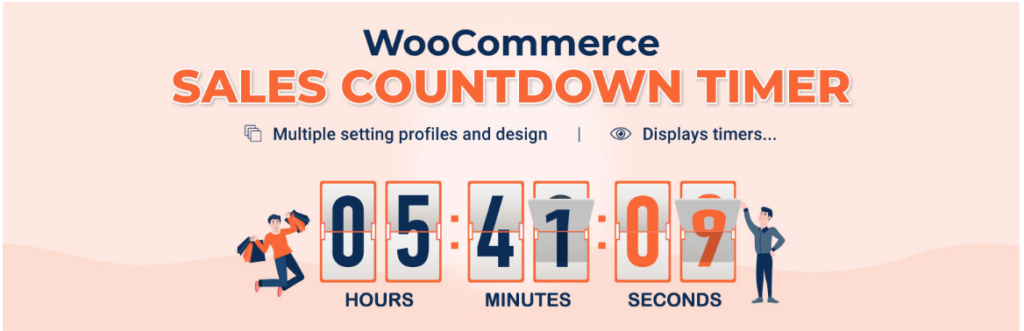
What sets Sales Countdown Timer by VillaTheme apart is its ability to offer checkout-level urgency features that most plugins lack in budget. At only $20/year for PRo, it’s not only the most affordable plugin on the list but also one of the smartest solutions for tracking cart abandonment.
What it does
Sales Countdown Timer is designed for WooCommerce stores that rely on time-sensitive promotions. It lets you place countdown timers across product, shop, and category pages, with checkout timers reserved for Pro users. The free version offers basic flash sales, but the real performance boost comes with Pro, which adds checkout-level urgency, category timers, and a stock progress bar.
It also supports multiple timer profiles, allowing you to run multiple campaigns simultaneously. Each has its own timer design, rules, placement, and operates independently without interference.
Key Features:
- Product page timer for basic promotions.
- Checkout countdown (Pro)
- Category page timers (Pro)
- Stock quantity bar showing % sold (Pro)
- Multiple campaign profiles
- Schedules start/end dates for automated promotions.
PROs vs CONs
| PROs | CONs |
| Most affordable plan on the list | Free version limited to product page usage |
| Checkout timers ( Pro) | Slower support |
| Stock % sold bar enhances urgency | No evergreen timers |
| Multiple timer profiles for parallel campaigns | Manual timezone setup (GMT default) |
| Flexible Pro placement | No cookie/IP detection for personalized timers |
| Easy setup | Limited styling flexibility and customization options |
Pricing
| Plan | Price |
| Free | $0 |
| Pro | $20/yr |
Best Placement: Checkout page (Pro)
Who should choose Sales Countdown Timer: Ideal if you want low-cost Pro-level urgency, including checkout-level timers and a stock progress bar.
3. Disco — Best All-in-One + Automatic Discounts
Rating: 4.9 / 5 | 700+ active stores | 5.0 WordPress rating
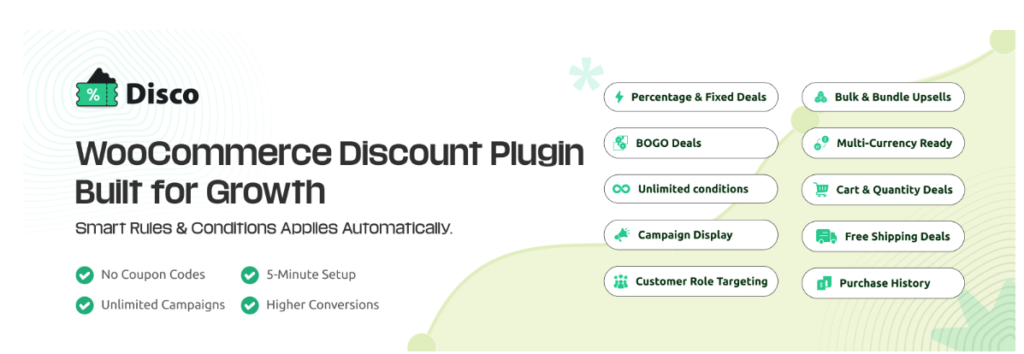
Disco is in a league of its own among plugins. Unlike other plugins that require separate tools for timers and discounts, Disco combines both in a single system.
What It Does
Once a discount campaign is set in motion, the timer and discount kick in right out of the gate — instant, automatic, and right on cue. When the timer expires, prices return to normal on their own. The campaign runs on autopilot.
This is crucial because most flash sales lose customers in the gap between the timer showing up and the discount being applied. Shoppers see the deal, but at checkout, they are asked to enter a code — this adds friction at the worst possible moment. Disco removes that gap entirely. The discount is already there, so there’s nothing to enter and no lost conversions.
Key Features :
- Countdown timers (Pro)
- Automatic discounts( no coupons)
- BOGO & Buy X Get Y offers
- Bulk and tiered pricing options
- Role-based pricing
- Scheduled campaigns
- Gifts and free shipping rules.
- Advanced cart conditions.
PROS vs CONS
| PROs | CONs |
| All-in-one:timers+discounts together | Countdown timers require the Pro version |
| Seamless checkout (no coupons needed) | Not ideal if you need a basic timer |
| Free plan available with zero risk (no card needed) | Less customizable than dedicated timer plugins |
| Lifetime pricing available | Limited placement flexibility |
| Built-in campaign automation | |
| Powerful pricing tools (BOGO, bulk, roles) | |
| 14-day refund guarantee on Pro | |
| 5-year loyalty rewards for long-term users |
Pricing
| Plan | Sites | Annual | Lifetime |
| Free | 1 site | $0 | — |
| Pro | 1 site | $69/yr | $106 |
| Pro | 5 sites | $95/yr | $153 |
| Pro | 10 sites | $124/yr | — |
The Placement Sequence That Converts Best:
| Announcement Bar (site-wide awareness) ↓Product Page — above Add to Cart (first urgency trigger) ↓Cart Page — reserved price expiry (second urgency trigger) ↓Checkout Page — final reinforcement (last line of defence) |
Most tools create urgency at one or two points. Disco maintains it throughout the whole buying journey, from landing to checkout. That consistency is something that standalone timer plugins can’t replicate.
Who should choose Disco: Disco is designed for stores that require a unified system for both urgency and discounts. It’s a strong fit for flash sales, eliminating coupon friction and advanced pricing features.
Confused about how the timer and discount stay in sync? This video demonstrates the complete setup in one flow, so you know exactly what your shoppers will experience before you go live.
4. Finale Lite — Best for Campaign-Based Flash Sales
Rating: 4.5 / 5
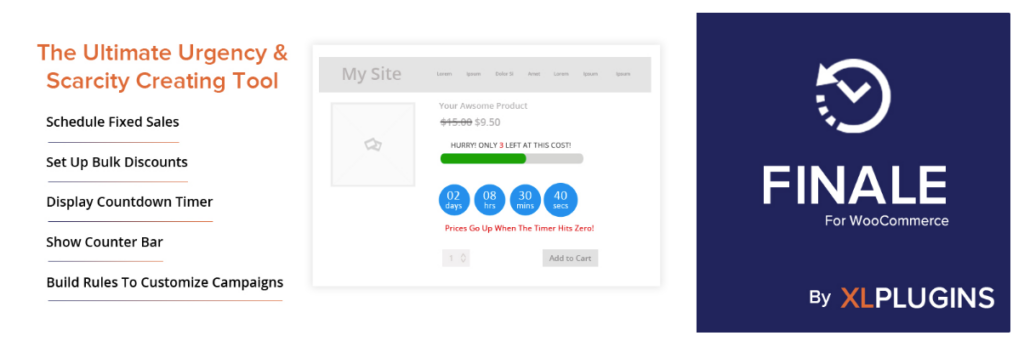
Finale Lite stands out because it manages the entire promotional campaign — timer, discount, progress bar, sticky banner — from a single setup. No more robbing Peter to pay Paul. No more fixing one thing to break another. Here, everything works in lockstep.
What It Does
Finale Lite is designed for campaign-level urgency instead of product-by-product. The timer and stock counter work in sync, while sticky headers and footers keep the deadline visible throughout the site. This makes it especially useful for Black Friday and seasonal sales, where unified control is more than individual product configuration.
Key Features:
- Flexible one-time and recurring campaigns.
- Countdown timers with stock counter bars.
- Persistent sticky header/footer announcements
- Bulk discounts with inventory-based goals
- Smart Events and Actions for automatic pricing adjustments
- Pro: shortcode support for emails/landing pages
- Business: evergreen per-user campaigns
PROs vs CONs
| PROs | CONs |
| Campaign-level setup | Evergreen campaigns are locked behind a business plan. |
| Free plan includes essential urgency tools | WooCommerce HPOS compatibility issues |
| Combines countdown+ stock indications | Unintended discount stacking if not carefully configured |
| Smart events with dynamic pricing | Complex interface for beginners |
| Shortcode support for emails/landing pages (Pro) | Some users complain about auto-renewal issues |
| Consistently updated and maintained | Limited design options |
Pricing
| Plan | Sites | Price |
| Free (lite) | 1 | $0 |
| Basic | 1 | $29/yr |
| Pro | 5 | $59/yr |
| Buisness | 25 | $99/yr |
Best Placement: Above the Add to Cart button
Who Should Choose Finale Lite: Perfect for seasonal campaigns that need timers, discounts, and announcements to work together. Pro also supports countdown timers in emails. Finale handles urgency as a single system, not separate tools.
5. Countdown Builder — Best for Visual Customization
Rating: 4.4 / 5
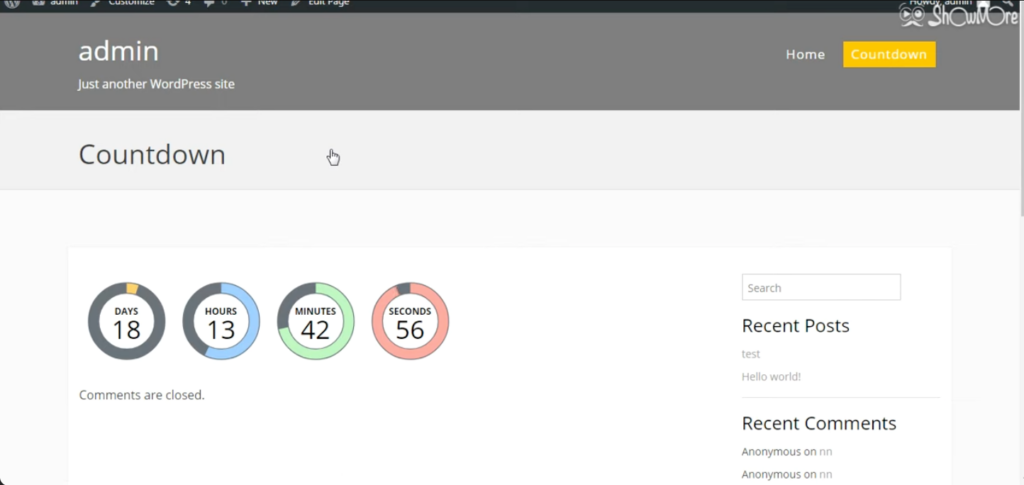
Countdown builder holds its own in the list for a simple reason: no other plugin emphasizes how your timer looks and allows so much control. While most plugins treat aesthetics as an afterthought, Countdown Builder puts it front and center — offering store owners the freedom to build timers that actually match their brand, not just get the job done.
What It Does
Countdown builder focuses on maximum design flexibility without compromising functionality. Nearly every visual detail —typography, color scheme, layout, sizing—can be customized. Sticky timers keep the countdown visible as shoppers scroll, while the per-user restart feature ensures that each visitor’s countdown timer is personalized and stays consistent. Pro users get access to the analytics dashboard to measure performance.
Key features
- Extensive customizable timer designs for full brand control.
- Sticky timer (Pro) for persistent visibility
- Per-user restart (Pro)
- Coming soon page support (Pro) for pre-launch campaigns
- Built-in analytics dashboard (Pro)
PROs vs CONs
| PROs | CONs |
| No subscription — one-time payment | WooCommerce features require a Pro update |
| Highest design flexibility on this task | Higher upfront cost ($94.96) |
| Analytics dashboard included in Pro | Lacks evergreen timers for personalized campaigns |
Pricing
| Plan | Price |
| Free | $0 |
| Pro | $94.96 one-time |
Best placement: Above the Add to Cart Button
Who should choose Countdown Builder? Best suited for store owners who value design flexibility and prefer a one-time payment. If visual consistency and branding matter more to you than advanced WooCommerce features, this plugin is a strong fit.
6. WiserNotify — Best for Multi-Platform Stores
Rating: 4.6 / 5
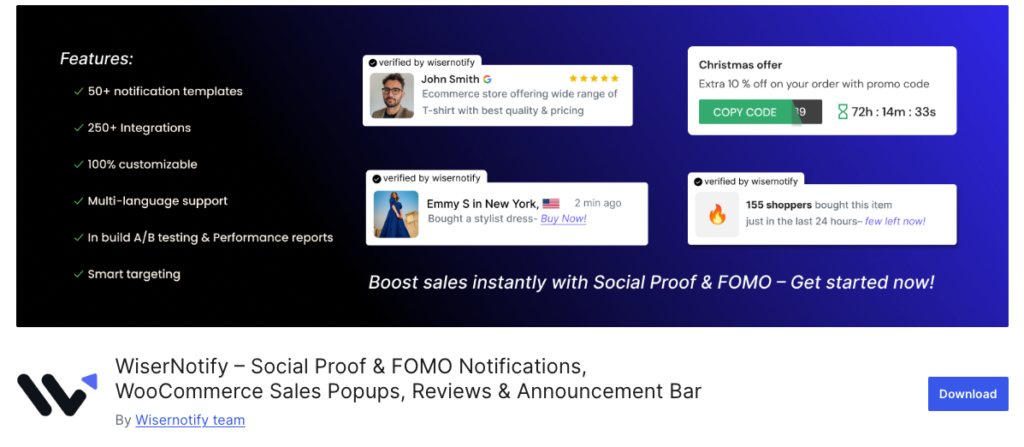
WiserNotify is more than just a countdown timer—it’s a complete urgency and social proof system built for multi-platform sellers. Whether you’re using Shopify, Wix, WooCommerce, or ClickFunnels, it’s the only tool here that unifies everything.
What It Does
With support for 250+ platforms, Wisernotify stands out as the most adaptable option on the list. Beyond timers, it adds layers of social proof such as live visitor counts, purchase alerts, and review pop-ups—to reinforce urgency from multiple angles. With built-in A/B testing features, you can compare widget variations and optimize performance based on data instead of assumptions.
Key features :
- 20+ urgency widget types—timers, bars, pop-ups, and more.
- Full countdown and evergreen support
- Social proof notifications (visitors, purchases, reviews)
- Work across 250+ platforms —Shopify, Wix, ClickFunnels, WooCommerce, and counting
- Built-in A/B testing —no third-party tool required.
PROs Vs CONs
| PROs | CONs |
| Extensive compatibility across 250+ platforms | No free plan |
| Built-in A/B testing for optimizing conversions | The monthly cost can increase over time |
| Includes built-in social proof features | Maybe unnecessary for single WooCommerce stores |
Pricing
| Plan | Price |
| Free Trial | 14 days |
| Starter | From $16/mo |
Best Placement: Place it above the Add to Cart Button or next to product reviews for maximum visibility.
Who Should Choose WiserNotify: Ideal for multi-platform sellers who want one unified urgency tool, A/B testing, and social proof. For a single WooCommerce setup, the monthly pricing and features may be overkill.
7. Thrive Ultimatum — Best for Advanced Scarcity Campaigns
Rating: 4.7 / 5
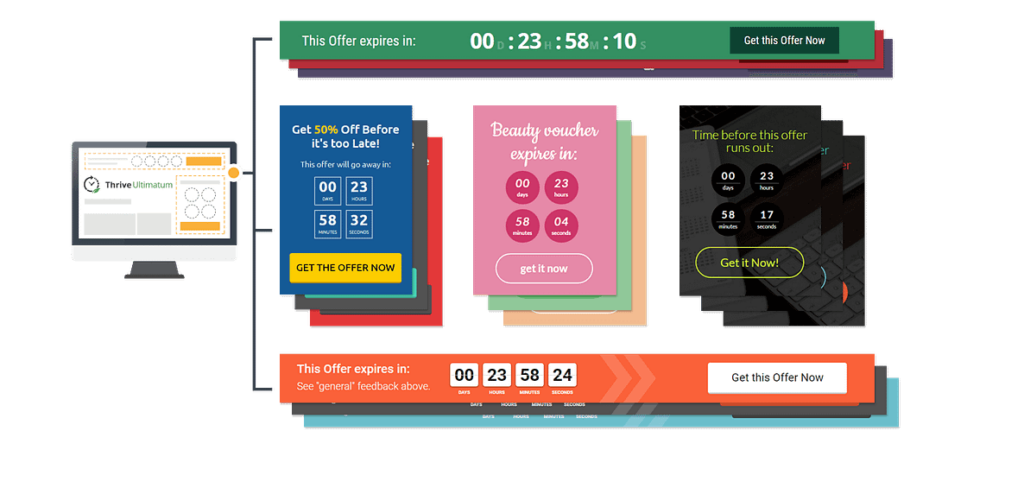
Thrive Ultimatum stands as the most advanced scarcity tool on this list. Instead of simple countdown timers, it layers in lockdown pages, behavioral targeting, and structured campaign blueprints. It is designed for store owners who treat the scarcity tool as a core conversion strategy rather than just decoration.
What It Does
Thrive’s ultimatum is built on a simple principle: making scarcity impossible to ignore or bypass. Expired campaigns restrict access to lockdown pages, and no way to re-enter through alternate sessions. Evergreen campaign runs on a per-user basis, so each visitor gets a personalized deadline.A/B testing combined with behavioral targeting not only drives urgency but also continuously optimizes it based on real-user behavior.
Key Features:
- Advanced evergreen scarcity with per-user personalization.
- Lockdown pages that enforce real scarcity
- Campaign blueprints
- Built-in A/B testing to improve conversion performance
- Behavioral targeting
PROs Vs CONs
| PROs | CONs |
| Most advanced scarcity system in the list | No free plan(starts at $199/yr) |
| Lockdown pages ensure genuine urgency by eliminating timer bypass loopholes | Full value is only unlocked within the broader Thrive Suite |
| Includes A/B testing and behavioral targeting for optimization | Expensive for smaller stores or early-stage stores. |
Pricing
| Plan | Price |
| Free | Not available |
| Pro | $199/yr |
Best Placement: Above the Add to Cart Button.
Who Should Choose Thrive Ultimatum: Best for high-volume stores that benefit from A/B testing and behavioral targeting to drive revenue. For smaller stores or new stores, the cost and feature depth may be overkill.
Why Countdown Timers Work
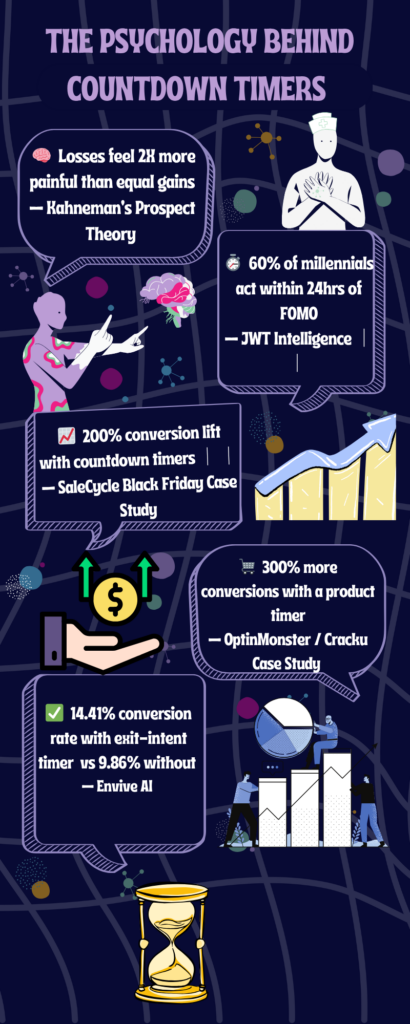
The real reason why countdown timers work is established in behavioral psychology. Kahneman and Tversky’s Prospect Theory shows that the pain of losing something valuable roughly feels twice as strong as the satisfaction of an equal gain( Kahnmen & Tversky, 1979). In simple terms, people are motivated to purchase by fear of missing out rather than the promise of a reward.
A timer reframes the entire purchase decision from “Do I need this?” to “Can I afford to miss this?” — and the conversion number speaks for itself. JWT Intelligence reports that 60% of millennial consumers made a reactive purchase within 24 hours of experiencing FOMO (JWT Intelligence, 2012).SaleCycle (2025) documented that limited-time deals can boost conversions by more than 200% (SaleCycle, n.d.). And combining a timer with exit-intent can increase conversions to 14.41% (Envive, 2025).
Which Timer Type Should You Use?
Choosing the right timer is essential. The wrong timer type quietly kills your conversions. The right one doubles them. Yes, there’s a wrong answer here, and “Just pick one” is not a strategy.
Static: One clock, fixed deadline for every visitor. They are used for hard deadlines that leave no room for negotiation—for example, limited events like Black Friday or a 48-hour sale.
Best plugin: HurryTimer, Sales Countdown Timer, YITH.
Evergreen: Personal deadline; it is set individually for each visitor. Best suited for continuous promotions: discounts for new customers and free shipping offers. Required Cookie or IP detection to prevent the clock resetting on page refresh. Hurrytime stands out as the only plugin that provides this at zero cost.
Best plugin: Hurrytimer (free), Thrive Ultimatum (advanced).
Recurring: Resets automatically on a set schedule ( daily, weekly) without requiring any manual effort. Perfect for stores with repeating promotional offers.
Best plugins: HurryTimer Pro, Disco (scheduled campaigns)
Cart and Checkout: Designed for customers with strong purchase intent. Time-sensitive prompts like “ Finish your order within 12 minutes to lock in this price” generate high ROI.
Best plugins: Sales Countdown Timer Pro, Disco Pro.
Shipping Deadline Timer: A different use case entirely. This ties the countdown to a shipping or delivery cutoff instead of a price, for example, “Order within 2 hours 34 minutes for same-day dispatch” or “Order within 27 minutes for delivery tomorrow.” The urgency here comes from getting the item in time, not from a discount expiring. None of the 7 plugins reviewed above are purpose-built for this. If shipping-cutoff urgency is your specific goal, look at dedicated tools built for that exact message, such as 211J Countdown Timer for WooCommerce or WooCommerce.com’s Shipping Countdown extension.
Best plugins: 211J Countdown Timer for WooCommerce, Shipping Countdown (WooCommerce.com).
Where to Place Your Timer for Maximum Conversions
Here’s what every other competitor roundup skips entirely. Applying the correct placement of the countdown timer. Neglecting placement is how most stores quietly lose conversions. Gone from the door, gone from the core.
Product page: Above the Add to Cart button (Highest impact). As the shopper’s eyes rolled down from the price to the ” Add to cart button, a timer that’s placed in the exact gap lands where doubt lives and drives it with urgency. Placing it anywhere below the fold or after the reviews makes zero impact.
Cart page: Regarded as the most underused placement. A shopper with items in their cart didn’t come their way to browse more. It’s the crucial part where they commit or retreat. A single line like “ Your reserved price expires at 14:52” is all it takes to turn the decision into a purchase. Most stores overlook it completely. Don’t be like most stores. Sales Countdown Timer Pro and Disco both support this placement.
Checkout page: Also considered the “ last line of defense”.Most checkout abandonment happens not because of a broken payment, but because of the crippling doubt inside them. To move them from this stagnant phase, a timer on the checkout page works best. It doesn’t add pressure but offers the last honest nudge before the deal expires.
Shop/category pages: Before the click. A compact countdown timer near the sale prices on the category pages creates pre-click urgency. Best suited for sitewide flash deals.
Announcement bar: Site-wide visibility. For sitewide promotions, a persistent top banner displays the deadline visible across every page without interfering with content. Compatible with tools like HurryTimer Pro and WiserNotify.
Conclusion
Countdown timers are effective because of loss aversion—not hype. The fear of being left out in the cold does the heavy lifting, not the flashy presentation. However, the plugin itself is only half of the equation. A countdown’s impact depends on its placement, the strength of the offer, and the consequences after its expiration date.
Hurrytimer could be your best starting point. On the flip side, Disco stands out as the best all-in-one solution, combining countdown timers, dynamic pricing campaigns, and automation in a single workflow.
Start with a free plan. Set your expiry dates. Place your timer above the Add to Cart button, not below. Customers need more than just a glance in their peripheral vision to make decisions.
FAQs
Does WooCommerce have a built-in countdown timer?
No, WooCommerce doesn’t include a native timer, so your best options are Hurrytimer’s free plan for simple urgency or Disco’s Pro plan for combined timers and automated discounts.
Are free countdown timer plugins good enough?
If your store runs only a handful of promotions throughout the year, Hurrytimer’s free plan does the job well. It covers both static and evergreen timers at zero cost. Upgrading only becomes necessary if you need cart-level timers, multi-placement support, or a timer+discount combination like Disco.
Can I use a countdown timer with automatic discounts?
Yes —Disco stands alone on this list for handling both in one place. Every other option requires a separate discount tool, which means more plugin load, more setup to get through, and more opportunities for something to go wrong.
My timer shows the wrong time — why?
This is certainly a timezone mismatch. Most plugins silently default to UTC/GMT without clear labelling. You’ll need to calculate your UTC offset and adjust the campaign end time manually. This is a known issue, particularly for the Sales Countdown Timer.
Where exactly should I place the timer on a product page?
Position it between the price and the Add to Cart Button, where the user’s attention is already focused. Anything below the fold or after reviews has almost no real impact.
Can I use a countdown timer for shipping deadlines instead of sales?
Yes, but it’s a different tool for a different job. A shipping deadline timer counts down to an order cutoff (like a same-day dispatch time), not a price change. The 7 plugins in this guide are built around sales and discount urgency. For shipping-cutoff messaging specifically, look at a dedicated plugin such as 211J Countdown Timer for WooCommerce or the Shipping Countdown extension from WooCommerce.com.