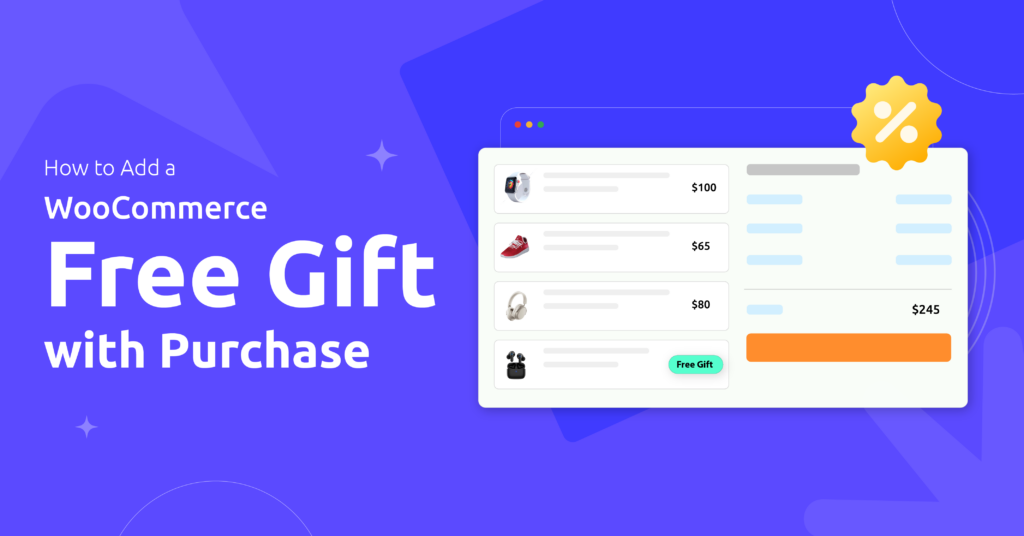
To add a WooCommerce free gift with purchase, create a Disco rule using the Buy X Get Y discount type, set your qualifying condition (a spend threshold, a specific product, or a customer role), select the free item at 100% off, and enable auto-add. The gift appears in the customer’s cart automatically. No coupon code required. WooCommerce has no built-in automatic free gift feature a plugin is required for this behavior.
Here is something that should bother you.
Two promotions. Same economic value to your store. Completely different results with customers.
Promotion A: “Get 20% off your order.” Promotion B: “Get a free gift with your order.”
In Dan Ariely’s research documented in Predictably Irrational, the same economic value framed as “free” consistently outperformed the equivalent discount. The word “free” triggers a disproportionate response in the brain – what behavioral economists call the “zero price effect.” A 20% discount simply does not produce the same response.
Your WooCommerce customers are not doing math at checkout. They are feeling something.
This guide covers how to add a WooCommerce free gift with purchase using Disco automatically, with no coupon code required. But before the setup steps, there is context that makes those steps actually work. Start here.
Why “Free” Hits Differently Than “50% Off”
The brain processes free differently from cheaper.
When something costs money – even one dollar – the brain runs a cost-benefit calculation before buying. When something is free, that calculation disappears entirely. The product does not just become more attractive. It becomes irresistible in a way that a discounted price never achieves.
This is why a $3 free gift can outperform a $10 discount.
A discount trains customers to see your product at a lower price point. Every sale anchors a new expectation. The free gift does the opposite. It adds value without touching the price. Your product stays full-price and valuable. The customer gets something extra and feels recognized.
There is a second reason free gifts work in WooCommerce stores: they pull average order value up instead of pushing price down. A customer planning to spend $60 adds a $15 item to hit a $75 threshold and unlock the gift. You moved the order from $60 to $75 with zero discount applied to anything.
WooCommerce Free Gift vs. Discount: Which One Is Right?
Both strategies work. They serve different goals. Using the wrong one for the wrong situation costs money without creating the result you needed.
| Your situation | Better choice | Why |
|---|---|---|
| You want to lift cart value 15%+ | Free gift with spend threshold | Customer adds items to reach the threshold |
| You want to move inventory quickly | Discount | Immediate price drop triggers fast decisions |
| You want to protect brand pricing long-term | Free gift | Product prices stay published and intact |
| You want to reward loyalty without discounting | Free gift | Feels like recognition, not a price retreat |
| You want to launch a new product | Free gift | Trial without a purchase decision barrier |
| Black Friday or urgent clearance | Discount | Social proof is on the discount side |
The clearest signal to choose a free gift: you want customers to spend more, not pay less. The clearest signal to choose a discount: you need to move inventory fast and price is the primary lever your customers respond to.
The WooCommerce Free Gift Problem Nobody Mentions
You can technically offer a free product using WooCommerce’s built-in coupon system. Set a product to 100% off, create a coupon code, send it to your list. Sounds simple.
Here is what your customer has to do to claim it:
- Remember the coupon code from the email
- Copy or write it down
- Return to your store
- Find the free product and add it to their cart manually
- Enter the code at checkout
That is five steps between intent and completion. Research on checkout abandonment consistently shows that “searching for a coupon code” is one of the top three reasons customers leave without buying. You built a promotion that actively increases cart abandonment.
The fix is not a better coupon. It is removing the coupon entirely.
When the free gift appears in the cart automatically — the moment the qualifying condition is met — the customer feels rewarded without being tasked. No code hunting. No manual product additions. The gift is just there, and the customer feels like your store noticed them.
Disco adds this automatic behavior to WooCommerce. Set the rule once. The gift fires every time the condition is met, on every qualifying order, without any intervention from you or the customer.
See Disco’s free gift setup live
Watch the auto-add fire in the demo store. No coupon code needed.
How to Add a WooCommerce Free Gift with Purchase Using Disco
Disco handles free gifts through its Buy X Get Y engine. Set the reward discount to “Free” (100%) with auto-add enabled and the gift fires automatically. Three trigger types cover almost every scenario.
Want to try these setups yourself?
Disco Pro handles role conditions, tiered thresholds, and campaign scheduling.
3 WooCommerce Free Gift Campaign Examples That Work
These are built around real WooCommerce store situations with specific numbers and Disco rule configurations.
Is a WooCommerce Free Gift Actually Profitable? The Margin Math
Almost every guide on this topic skips this question. Here it is.
A free gift campaign is profitable when: revenue lifted per qualifying order exceeds the COGS of the free item given.
Set your threshold 15-20% above your current average order value. Use a free item whose COGS is under 8-10% of the threshold amount. Measure how much average cart value moves after launch. Compare the lift to the gift cost.
| Threshold | Gift COGS | Current AOV | Avg Cart Lift | Net per Order |
|---|---|---|---|---|
| $50 | $3.00 | $42 | +$8 | +$5 |
| $75 | $4.50 | $62 | +$13 | +$8.50 |
| $100 | $6.00 | $85 | +$15 | +$9 |
These are illustrative benchmarks. Your lift depends on how well you communicate the offer and how naturally the threshold fits your catalog. The principle holds: a $4-5 free item on a $75 threshold is almost always profitable when your AOV sits in the $55-65 range.
The exception: gifting a high-COGS product on a low-margin purchase. A $12 COGS item given free with a $20 product purchase loses money on every qualifying order. Use samples, travel sizes, accessories, or branded items with favorable perceived-value-to-cost ratios.
5 Mistakes That Kill WooCommerce Free Gift Campaigns
These are the specific reasons well-intentioned campaigns underperform in practice.
Using a coupon code. Every code is checkout friction. Customers who reach checkout and then go hunting for a code abandon at a measurably higher rate. Automatic is always better. Disco fires the gift the moment the condition is met.
Choosing the wrong free item. The gift must feel genuinely valuable. A $1 COGS item with a $12 retail price works. A slow-moving item nobody wanted — customers notice immediately. They post reviews about feeling manipulated, not appreciated.
No time limit. A permanent free gift stops being a gift within two weeks. It becomes expected. When you remove it, customers feel like something was taken from them. Time-limit campaigns or rotate gifts to maintain perceived value.
Not promoting the offer. An automatic cart addition is invisible until the cart page. Add a product page banner, an announcement bar, and an email mention. Disco handles the discount. You handle the visibility.
Gifting a high-COGS item. The free item should have a favorable perceived-value-to-cost ratio. Gifting your $40-margin product to trigger a $50 threshold is almost always a losing trade. Use samples, accessories, or branded merchandise.
Automatic. No coupon code. No friction.
Add free gifts to WooCommerce with Disco
Set the rule once. Disco auto-adds the gift when the condition is met. No code needed.
Free forever · 14-day refund on Pro · Works on any WooCommerce store
Frequently Asked Questions About WooCommerce Free Gift with Purchase
Does WooCommerce support free gifts with purchase natively?
WooCommerce’s built-in coupons can set a product to 100% off, but the customer must manually add the free product to their cart and enter a coupon code at checkout. For automatic free gifts that appear without any customer action, you need a plugin. Disco handles this automatically: the free item appears in the cart the moment the qualifying condition is met, with no code required.
How do I add a free product to the cart automatically in WooCommerce?
In Disco, create a Buy X Get Y rule. Set your qualifying condition (spend threshold, specific product, or customer role), select the free item, set the discount to 100%, and enable Auto-Add to Cart. When the condition fires, Disco adds the free item automatically. This is not possible with WooCommerce’s default coupon system, which requires the customer to manually add the product and enter a code at checkout.
Can I offer different free gifts at different spend levels in WooCommerce?
Yes. Create separate Disco rules for each tier. Cart ≥ $50 gives Gift A, cart ≥ $100 gives Gift B. Each rule is independent with its own threshold and free item. Both run simultaneously. This is called tiered free gifting and it is an effective way to scale incentives with customer spend.
Will a free gift affect my WooCommerce inventory count?
Yes. When Disco auto-adds a free product, WooCommerce treats it as a $0 line item in the order. The product’s stock count decrements with each order exactly like a paid item. Set up inventory tracking for the free item as you would for any product. This gives you accurate campaign cost data in your WooCommerce reports.
Can I limit a WooCommerce free gift to first-time buyers or specific customer roles?
Yes, with Disco Pro. Add a customer role condition to the rule. The free gift only fires for customers matching that role — new customers, returning customers, wholesale buyers, subscribers, or any custom role you assign. Customers outside the role condition never see the discount applied to their cart.
What product works best as a WooCommerce free gift?
Products with a high ratio of perceived retail value to actual COGS work best. Travel sizes and samples for beauty and food stores. Branded accessories like tote bags, mugs, or keychains for fashion and lifestyle brands. Any item that retails for $10-20 but costs $2-5 to produce hits the sweet spot. Avoid items customers already perceive as cheap or unwanted. The gift should feel like a genuine upgrade to the order.
Is a WooCommerce free gift better than a discount?
For different goals, yes. A discount reduces the purchase price immediately and works well for urgent clearance and price competition. A free gift preserves your product’s price anchor and works better for lifting average order value, retaining customers, and launching new products. Most WooCommerce stores use both: discounts for clearance events, free gifts for ongoing conversion and loyalty mechanics.