 Shanjida Haider
A first-order discount is a promotional offer that is granted only when a customer places their first order. It can be represented as –
- Percentage discount : (e.g., 20 % off at first purchase)
- Fixed discount : (e.g.,$20 off at first purchase )
- Free shipping (on first purchase)
Table of Contents
Why First Order Discounts Matter for WooCommerce Stores?
You don’t want to end up like Sisyphus, continuously holding a large boulder on your shoulder from one place to another. It’s time to get the ball rolling.
In other words, seal the deal with customers by offering them a first-order discount. A highly persuasive, powerful incentive that would instantly increase your perceived value and customer lifetime value (CLV).
According to statistics, the initial discounts can be a first-order discount
- Increases conversion rates(2-5%)
- Escalates redemption rates (40-50%).
- Overcomes buyer’s inertia: It serves as a gentle nudge to help customers overcome their hesitation. Customers become more likely to spend confidently.
- Creates urgency: 60% of customers are more likely to buy under pressure.
Native WooCommerce Limitations
WooCommerce settings don’t have built-in support for “First-order discount.” You can create a basic discount, like a percentage discount or a fixed discount, through built-in coupons.
To create your own tailored first-order discount, install and activate an advanced dynamic discount plugin, like DISCO Plugin.
How to create an automated First-Order discount using a plugin?
Here are step by step guide to create frist order discount in WooCommerce
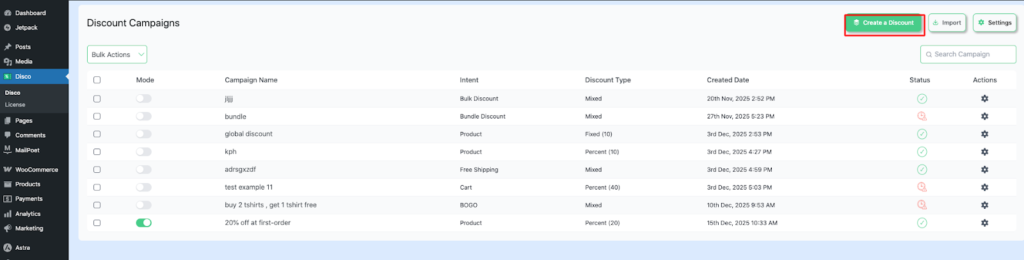
Step 1: Go to “ Disco ” from your WordPress dashboard, click to →Create a discount
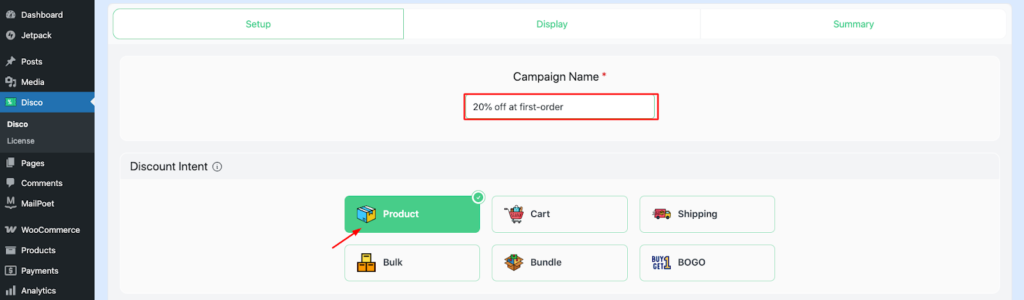
Step 2: Add a campaign name and then select your discount intent as product-based discount
The campaign name serves as a unique internal reference (e.g.,20% off on the first order)
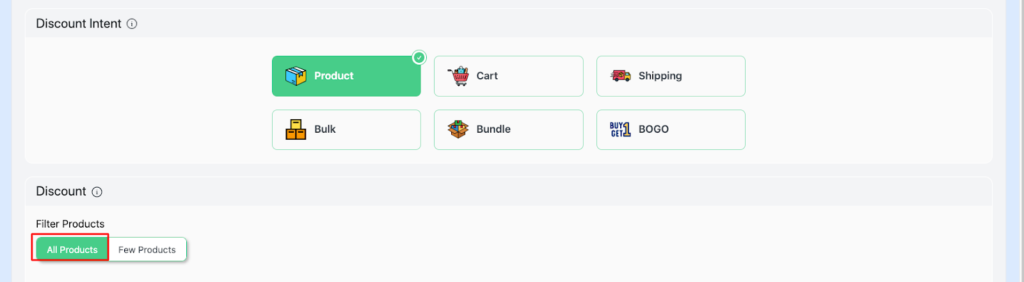
Step 3: Filter “All products”
This confirms a storewide discount.
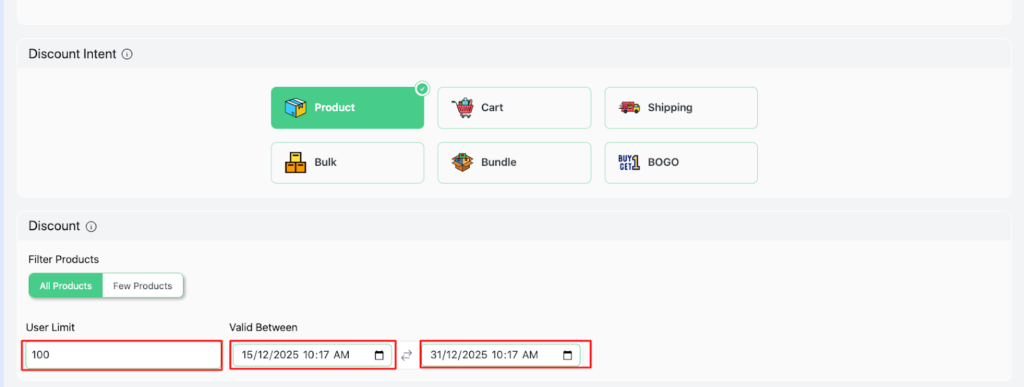
Step 4: Pick a User limit and a Validity date
For this example, set the User limit to 100 and Validity date (15/12/2025-31/12/2025)
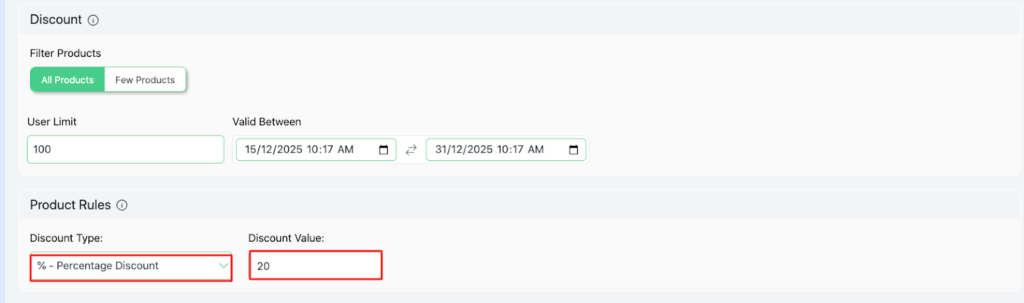
Step 5: Set the discount type → percentage discount, discount value – 2
Step 6: Set the Conditions as “ Is First Order – equal -yes.”
This ensures that the customer gets a discount on their first order.
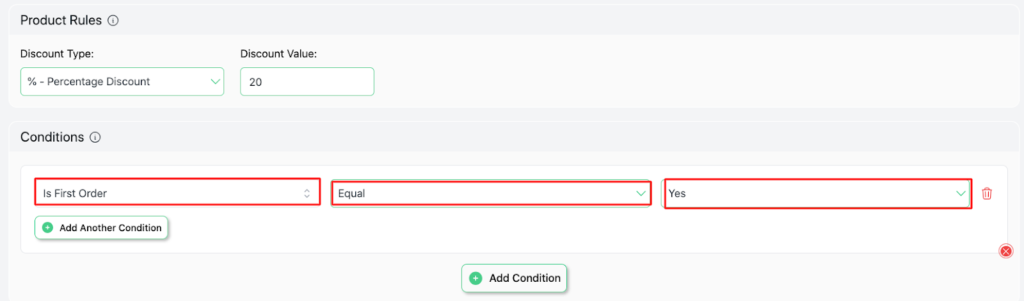
Step 7: Save and Exit
Now, you have successfully launched your campaign.
Now, let’s examine the situation from the viewpoint of a first-time customer :
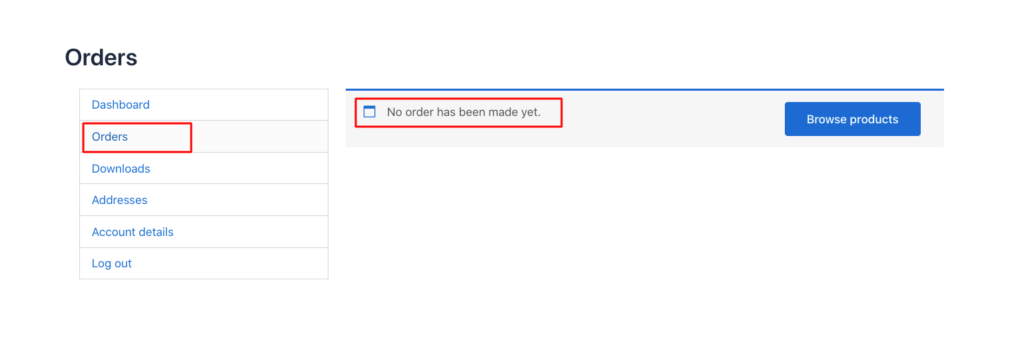
As you can see, the customer didn’t make any other purchases before this. Therefore, a 10% discount will be automatically applied to any products.
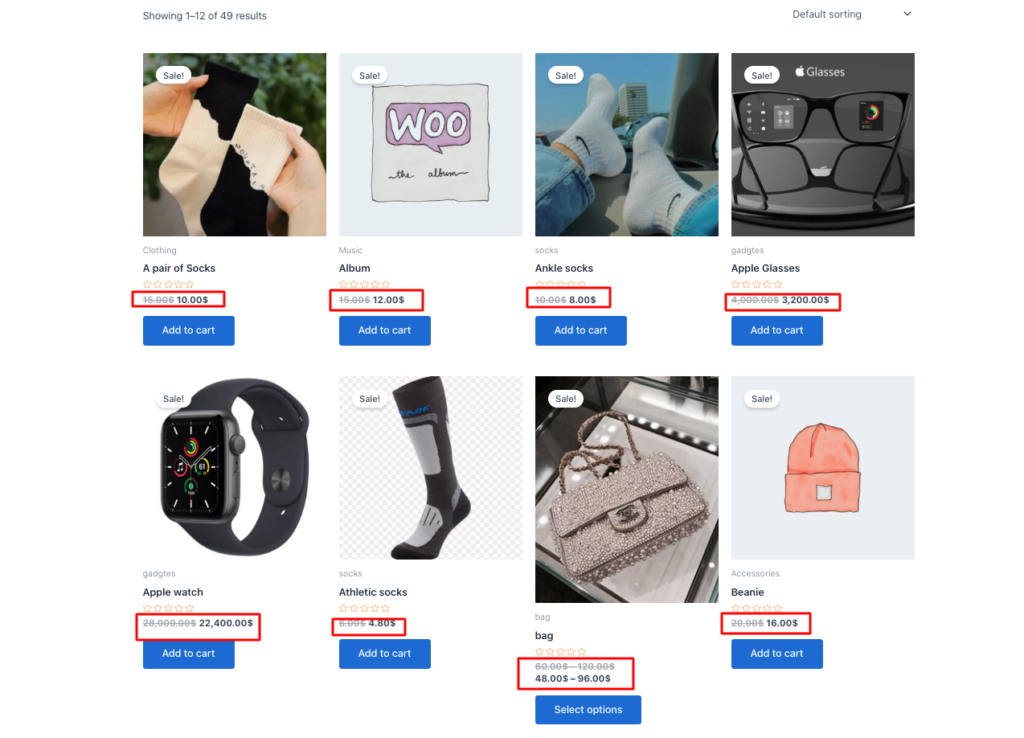
As you can see, all products are at a 20% discount.
Common pitfalls and fixes
1. Discount abuse and profit margin loss
Stop using generic codes for coupons !!! Making the generic code available can lead to its massive misuse since non-subscribers may take advantage of the situation.
The Fix :
Generate new unique codes for single-use coupons and set the usage limit to -1 in the WooCommerce Coupon Settings.
2. Plugin Conflicts
Running multiple plugins can cause conflicts by disrupting system stability. Such as the checkout process breaking, the WordPress Admin dashboard becoming slow, or the site experiencing the infamous “White Screen of Death” ( WSOD)
The Fix :
“It’s better to be safe than be sorry.” To avoid this catastrophe, follow these steps.
- The safest start: Ensure a full backup of your site. Then conduct all testing in a secure staging environment. Use your browser’s Developer Console (F12) to monitor JavaScript and PHP errors.
- The core Test: Switch to a default theme, such as Twenty Twenty-Four or Storefront. Deactivate all the plugins, except for WooCommerce. If the problem disappears after changing the theme, then it is more likely that the issue is with your theme and not WooCommerce. If the issue persists, then it is related to the WooCommerce configuration.
- The final test: Contact the developer as a last resort. If the developer is unavailable, then use an alternate plugin with the same features.
3. Poor Visibility
Often, these problems occur due to subtle styling, poor placement, or mobile glitches. It drives redemption rates below 5 %. This situation is compounded by inadequate testing, ignored real-user simulations, missed expired rules, and device-specific bugs.
Best practices to improve visibility :
- Prime locations: Select high-impact areas such as homepage hero banners, product pages, cart totals, and more for displaying promotional notices.
- Eye-catching design: Integrate contrasting colors (red/orange CTAs), urgency phrase (Get 30% discount now!!- First Order Only)
- Personalization: Greet your users with warm greetings, such as “Welcome, new shopper.”
Conclusion
“A journey of a thousand miles begins with a single step.” Start small, experiment with different discount rules, and remain consistent with your discount strategies.
First-order discounts not only increase sales but also build trust and long-term relationships. It is as though the legend says, “ Dripping water penetrates the stone.“