Geographical pricing, also known as location-based pricing, regional pricing, or geo-based pricing, is the practice of adjusting product prices based on a customer’s country, state, region, or zip code. It is one of the most effective ways to run WooCommerce geolocation pricing campaigns without touching a single line of code.
For example, if a product is priced at $100 in the USA, the same product can appear to an Indian customer as ₹6,399 after a 20% discount. That is geographical pricing in action, and it works because a single global price rarely fits every market.
Geographical pricing is not about charging people unfairly. It is an attempt to meet buyers where they are, even though every region faces a different economic reality.
Quick Answer:
Geographical pricing is when an online store shows different prices to customers based on their country, state, or zip code, instead of one fixed global price. In WooCommerce, this requires a plugin like Disco since there is no built-in geolocation pricing feature. Common examples include country-level discounts, state-based sales, and zip-code-specific offers that offset shipping costs.
Why WooCommerce Pricing by Location Gives You a Competitive Edge
Due to differences in purchasing power, taxes, shipping costs, and market competition across the globe, maintaining a single worldwide price does not ensure fairness for everyone. This leads to lost conversions in price-sensitive regions.
- Higher conversion rates across the global market: Customers are more likely to convert when product prices align with local purchasing power and expectations. This reduces sticker shock and increases checkout completion.
- Better profit margin protection: You can set premium pricing in high-income areas like the US or Europe, then offer competitive discounts in Southeast Asia.
- Lower cart abandonment: Indian customers are often surprised by US pricing, which leads to cart abandonment. Local pricing can prevent 20 to 40% of these cases.
- Clears inventory: It applies heavy discounts in low-demand regions while keeping normal pricing in high-demand areas.
- Supports seasonal stock clearance: Seasonal demand varies from country to country, and regional pricing lets you react to that.
- Boosts average order value: It encourages higher-value purchases in price-sensitive markets, such as Southeast Asia.
Geographical Pricing Examples
Seeing a definition is one thing. Seeing how geo-based pricing plays out in a real store makes it click. Here are a few practical geographical pricing examples you can model your own campaigns on:
- Country-based discount: A software plugin priced at $59 in the US is offered at $39 for customers browsing from Bangladesh or Pakistan, where average income and typical software budgets are lower.
- State-level adjustment: A clothing brand runs a 10% discount for customers in Texas during a regional sale, while keeping standard pricing in California, where the same campaign would eat into margin.
- Zip code targeting: An electronics store offers $15 off to shoppers in zip codes with historically high shipping costs, offsetting the extra delivery expense with a location-specific discount.
- Currency-adjusted local pricing: A subscription service shows ₹6,399 to an Indian customer for a product listed at $100 in the US, keeping the price psychologically closer to local price points instead of a direct currency conversion.
- Seasonal regional pricing: A skincare brand discounts sunscreen more aggressively in colder regions during winter to clear inventory, while maintaining full price in warmer climates where demand stays steady year-round.
These examples all rely on the same mechanism: detecting where the customer is, then applying a rule that fits that location.
How WooCommerce Geo-Based Pricing Works Behind the Scenes
WooCommerce does not have a built-in system for pricing based on geographical location. You need an advanced discount plugin, such as Disco, that is compatible with your WooCommerce store and supports geolocation pricing rules.
WooCommerce geolocation pricing plugins identify customers through their IP address, then apply discounts based on a few key factors:
- Country/region targeting: This enables distinct prices across nations or broad areas. For example, if a product costs $500 in the US, offering a 15% discount to customers in India would help it compete with local rivals like Flipkart.
- State/province targeting: This strategy aligns with local taxes, living costs, and demand. For instance, applying a 10% discount on tech items in a high-competition state, while maintaining regular prices in Texas.
- Zip code targeting: This offers neighborhood-specific promotions, such as $15 off in California zip codes with high shipping costs, or exclusive deals in Manhattan’s 10001 zip code to stimulate local demand.
How to Set Up WooCommerce Country-Based Pricing Using the Disco Plugin
Here are some examples of applying an advanced discount plugin to create a price-based discount based on geographical location.
Setting Up a Country-Based Pricing Discount in WooCommerce
Note:
The user needs to provide key details in their profile, such as country, zip code, and state/province, so that the plugin can effectively use the information.
And then follow this process step by step
- From your WordPress dashboard, go to → Disco
- Click to → Create a Discount
- Add a campaign name
- Choose your discount intent
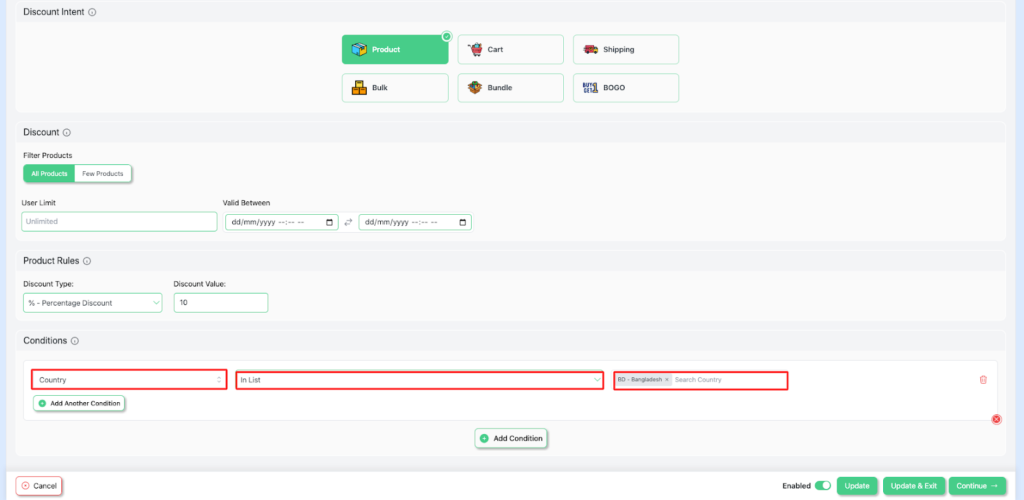
- Set the User limit to any number or leave it blank ( It will count as unlimited
- Set the Validity date with a precise start date and an end date.
- Add conditions → country → Bangladesh ( Any country)
- Save and exit to start your campaign
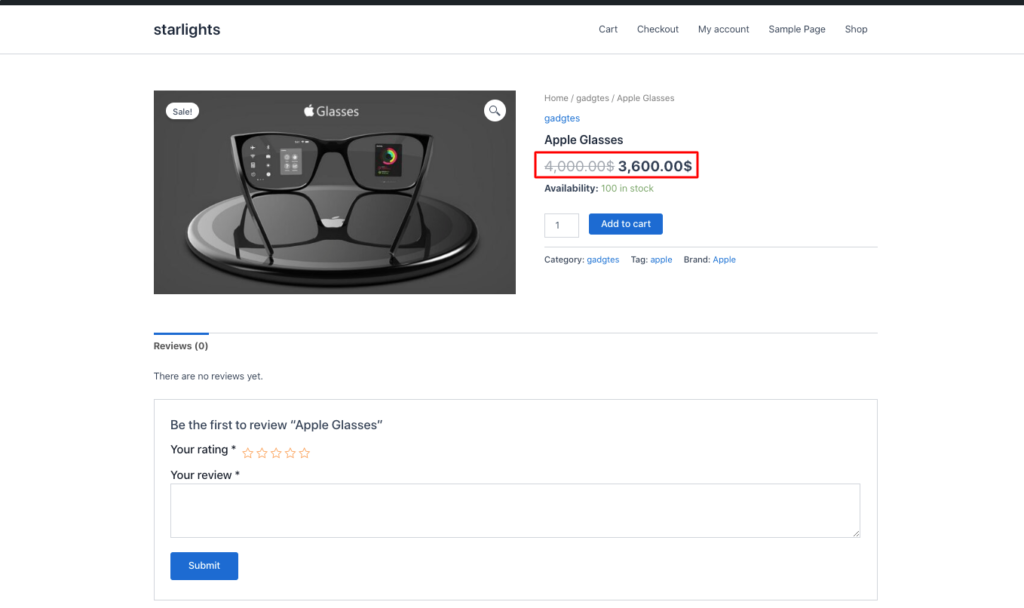
How to Apply WooCommerce Pricing Rules by Zip Code
Similarly, if you want to have a pricing discount based on zip code, follow all of these steps. And then –
- For this example, set the discount to 20% (or any number you wish).
Select → Discount type as Percentage discount →Discount value as 20.

- Then, in the Conditions section → zipode → does not contain → blank
- Click to save and exit to start your campaign.
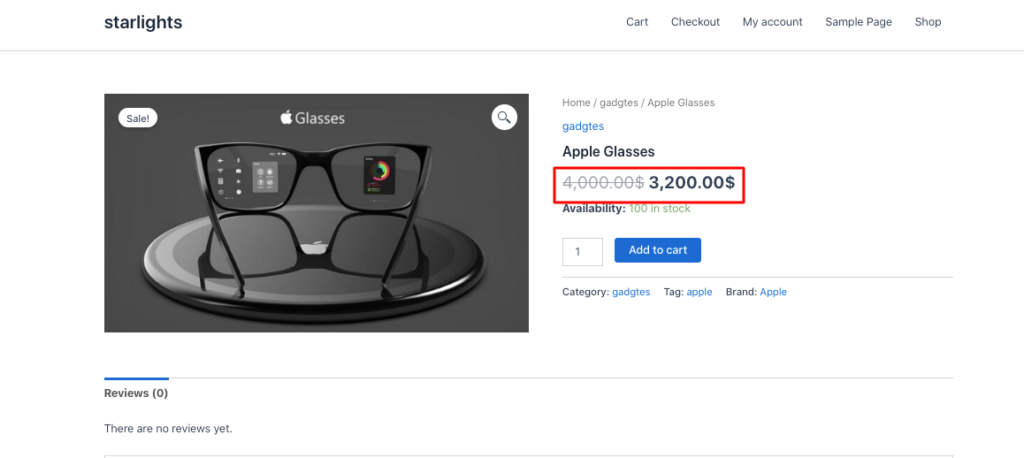
As a result, the product will be discounted by 20%.
Configuring WooCommerce Regional Pricing by State or Province
For this case,
- Set your discount type- percentage discount, discount value-30

- Set Conditions → state → India -Kerala
- Click to Save and Exit to complete your campaign

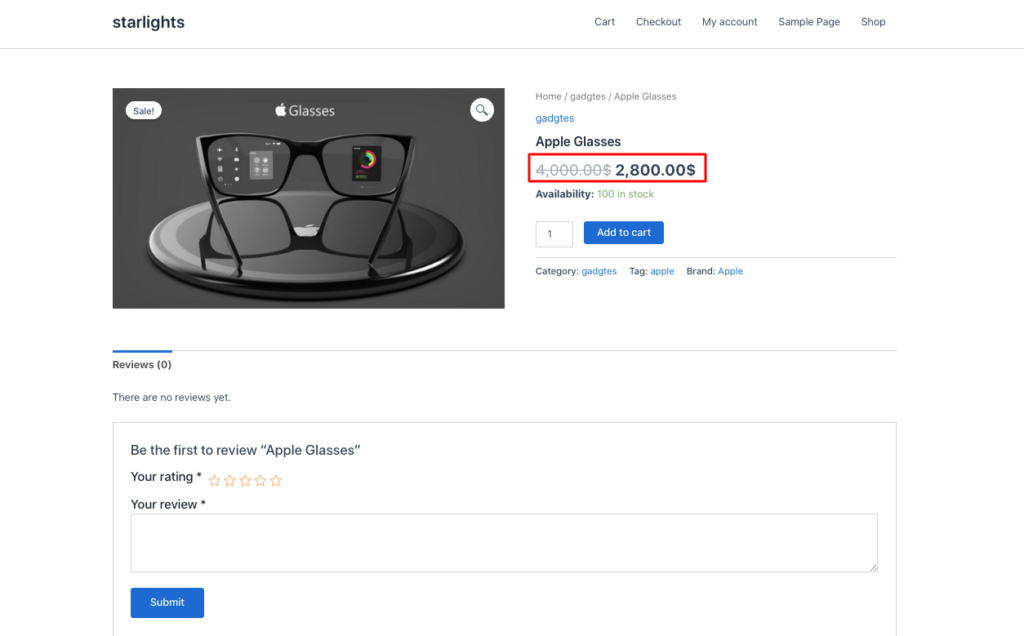
You can also blend geographical location with other conditions.
For example, you can choose a cart-based intent and set the cart subtotal condition equal to $200.
Best Practices for WooCommerce Dynamic Pricing by Region Without Losing Margins
Ignorance or haste can lead to costly mistakes. Even during the marketing phase, you have to plan your moves carefully, like a skilled chess player. In chess, attacking alone is not enough. A player also has to support their pieces.
The same is true here. Offering large discounts without any strategy can end up hurting your margins badly. Here are a few things you should try:
- Define clear pricing limits: Set dynamic pricing limits and a discount range per region. A plugin makes this easier to manage.
- Watch shipping costs closely: Track actual or estimated shipping costs and local tax differences as part of your location-based pricing strategy.
- Prevent overlapping discounts: Multiple discounts stacking at once can quietly kill your margin. Set discount priorities to avoid this.
- Apply tiered discounts strategically: Choose the specific locations where you want to apply tiered or volume discounts. Local demand, availability, and competition all affect how well these perform.
- Run short, well-planned promotions: Short, well-crafted promotions tend to outperform longer, less focused ones.
Frequently Asked Questions About WooCommerce Pricing by Location
Does WooCommerce support location-based pricing by default?
It does not have built-in geolocation detection; it requires an advanced pricing-based plugin for location-based pricing.
Is geo-based pricing legal?
Yes, it fully adheres to consumer protection laws, tax regulations, and transparency standards.
Can location-based prices or discounts be combined with other discount rules?
With the Disco plugin, you can easily combine location-based pricing with other conditions. It lets you customize your pricing strategy with excellent features.
How do I set pricing based on the customer’s country or region in WooCommerce?
Install Disco or a similar advanced pricing plugin that prompts you to provide essential information. Then it will track your IP address and wllow you to create a discount with its sophisticated features.
What is geographical pricing?
Geographical pricing is a strategy where an online store adjusts product prices based on a customer’s country, state, or zip code, instead of showing the same price to every visitor.
What are some examples of geographical pricing?
Common examples include offering a lower price to customers in a lower-income country, applying a state-level discount during a regional sale, adding a zip code-specific discount to offset shipping costs, or converting prices into local currency at a locally appropriate value rather than a strict exchange rate conversion
Does WooCommerce support location-based pricing by default?
No. WooCommerce does not have built-in geolocation detection for pricing. It requires an advanced pricing plugin, such as Disco, to detect location and apply location-based pricing.