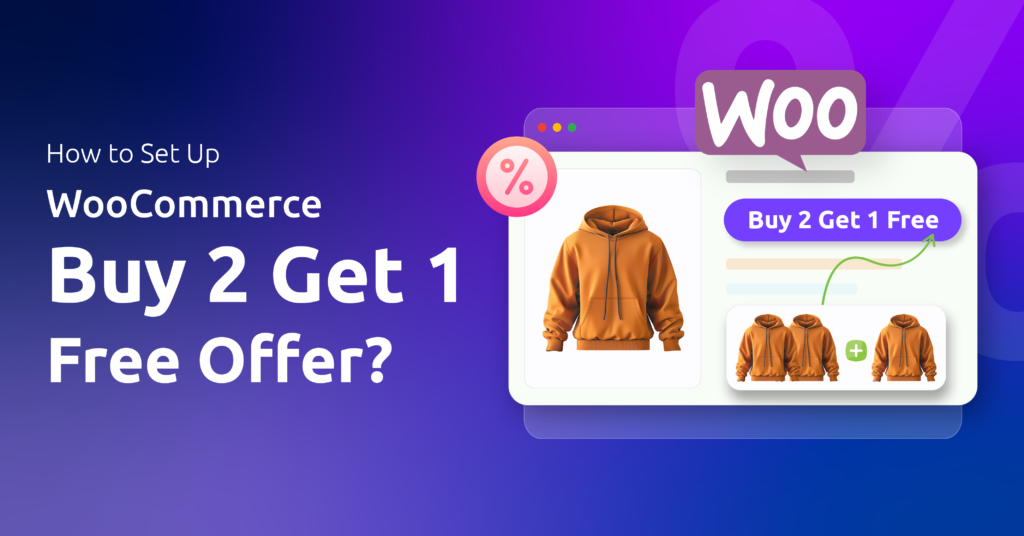
Say you sell coffee mugs at $12 and announce “buy 2, get 1 free”. One shopper takes three and pays $24. Another grabs six expecting to pay $48, while a third wonders whether two mugs and a teapot qualify. Same headline, three carts, and what the promotion costs depends on how you answer each.
A WooCommerce buy 2 get 1 free offer hands over one unit at no charge after two qualifying purchases, which works out to a third off each set of three. Core coupons reduce prices but never put a product in the basket, so this needs a plugin, and then it comes down to three numbers chosen on purpose.
The three numbers behind buy 2 get 1
Every buy-X-get-Y rule answers the same questions:
- How many must be bought? For buy 2 get 1, the minimum is 2.
- How many units does the deal cover? Disco’s documentation calls this the maximum quantity, “the maximum number of units the discount will apply to”. Leave it blank and there’s no cap.
- How many come free, and which product? One unit, usually the same product the shopper bought.
That middle figure is easy to skip. Disco’s guide defines it without showing what a six-mug basket receives at any given setting, so measure that yourself before launch.
Set up buy 2 get 1 free in WooCommerce with Disco
BOGO campaigns are a Disco Pro feature; in the free plugin the option shows with a Pro label. Following Disco’s BOGO documentation:
- Open Disco, start a new campaign, name it, and go down to the BOGO section.
- In the product filter, pick Few Products and select the mug, or All Products for a storewide deal.
- Choose Buy X Get X as the BOGO type, so the free unit is the same product. That also settles the teapot: it never qualifies.
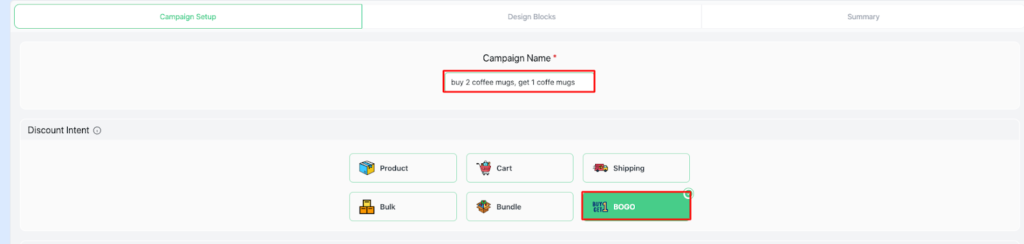
- In BOGO Rules, set Customer Buy to a minimum of 2. Our example pairs that with a maximum of 2, a sensible starting point until testing says otherwise.
- In Customer Get, set Get Quantity to 1 and Discount Type to Free Items.
- Save, then test the cart before announcing the offer.
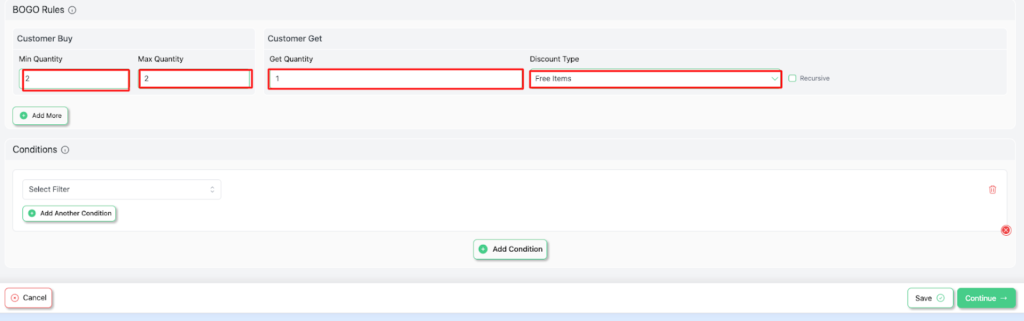
The rules panel also shows a Recursive checkbox. The documentation doesn’t spell out what it changes, so turn it on or off only after testing the carts below.
Check the cart at one, two, three and six units
Disco adds the free unit as its own cart line priced at zero, with a note that it was added as free, rather than lowering the price of the paid units.
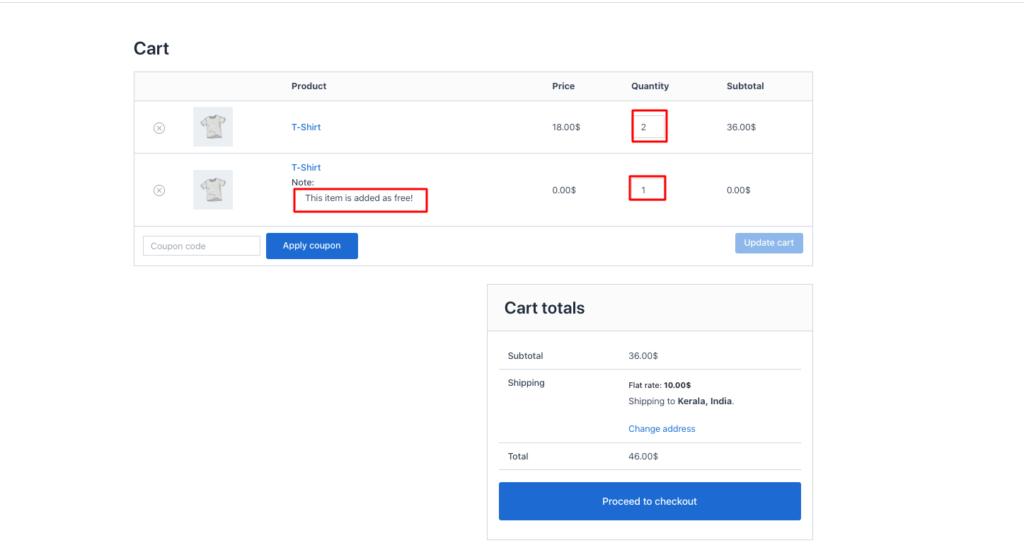
Try four baskets in a private window: one unit, two (does a free third appear?), three, and six. That last one shows what your maximum actually hands out. If the zero-priced line shows up somewhere unexpected, adjust the cap before launch rather than after the first order.
For a free item that’s a different product, the documentation covers a separate setup, Buy X Get Y Free (Different Product), and our guide to create a BOGO offer in WooCommerce walks through a full Buy X Get X setup.
Cap the promotion
Start and end dates inside the campaign switch it on and off automatically. Dates are a free setting on other campaign types, but a BOGO campaign itself still needs Pro. Disco Pro adds a User Limit field, which caps the total number of orders that can use the campaign across the whole store. It isn’t a per-customer limit, so it’s the right tool for “the first 100 orders” and the wrong one for “once per shopper”.
If you’re still choosing between offer types, what is BOGO explains the family, and BOGO marketing examples shows variations. Get Disco free to start, and see Disco Pro pricing for BOGO campaigns.
Related guide: How to Add a WooCommerce Free Gift with Purchase (Automatic, No Coupon Code)
FAQ
Is buy 2 get 1 free available in the free version of Disco?
No. BOGO campaigns, including buy 2 get 1, are a Disco Pro feature. The free plugin shows the option with a Pro label.
Can the free item be a different product?
Yes. Disco Pro has a separate Buy X Get Y setup for a different free product, described in the Disco documentation.
Can WooCommerce do buy 2 get 1 without a plugin?
No. Core WooCommerce coupons can reduce prices but cannot add a free item to the cart, so the offer needs a plugin.