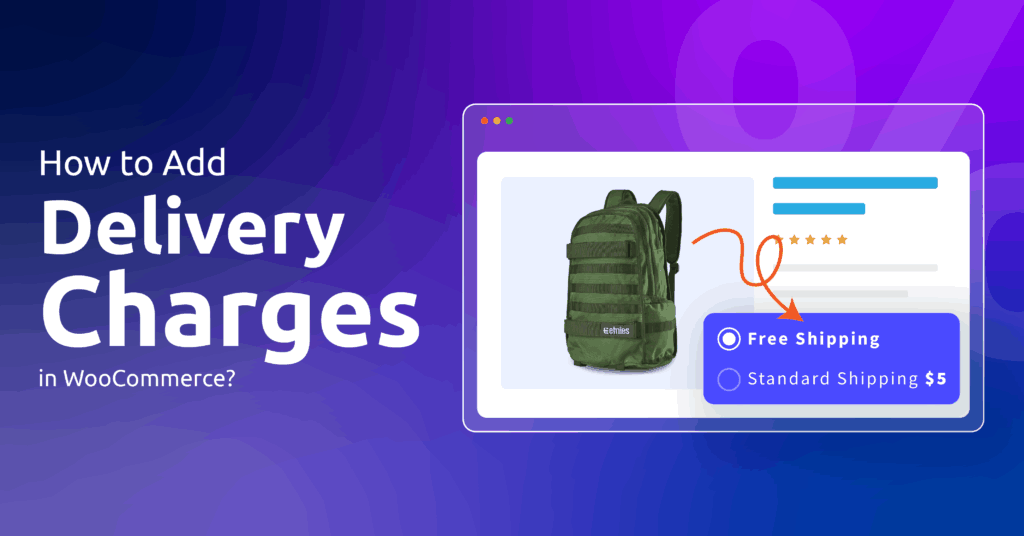
Why does one buyer see $5 delivery while another, abroad, sees nothing at all? WooCommerce never bills postage by default; it charges only what zones, methods and product classes tell it to.
To add delivery charges in WooCommerce, create a shipping zone, give it a flat rate with a cost, and use shipping classes for heavier goods. These layers stack, and configuring them in that order keeps checkout totals predictable.
Start with shipping zones
A zone is a group of places (one country, several states, a postcode range) plus whichever methods you offer there. Every fee lives inside one.
- Go to WooCommerce, then Settings, then Shipping, and open Shipping zones.
- Add a zone, name it, and choose its regions.
- Repeat for each area that needs different prices.
Addresses outside all your zones land in a catch-all, labelled “Locations not covered by your other zones” in the zone list (the WooCommerce docs call it Rest of the world). Give it a method too, or those customers find no shipping option.
Set the delivery charge with a flat rate
Inside the zone, click Add shipping method and pick Flat rate. Its Cost is “applied to the entire cart”, per the WooCommerce flat rate documentation. Enter 5 for $5 per order; Tax status decides whether tax is added on top.
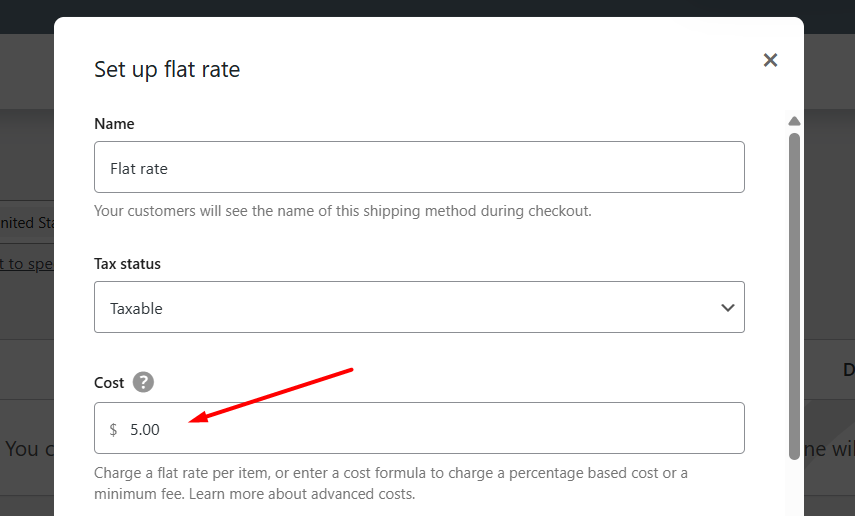
The same field accepts formulas:
10 + ( 2 * [qty] )charges $10 plus $2 for each product, so three items cost $16.10 + [fee percent="10"]adds 10% of the products’ total to the base, andmin_feeormax_feeset a floor or ceiling on that percentage.
Those two patterns handle most per-item or handling-fee requests without extra software.
Charge more for heavy or bulky products
Classes let certain goods carry a surcharge. Create them under Shipping settings, assign one on each product’s Shipping tab, then reopen the flat rate. A box appears per class, and its amount is added to the main Cost; set that Cost to 0 to bill by class alone.
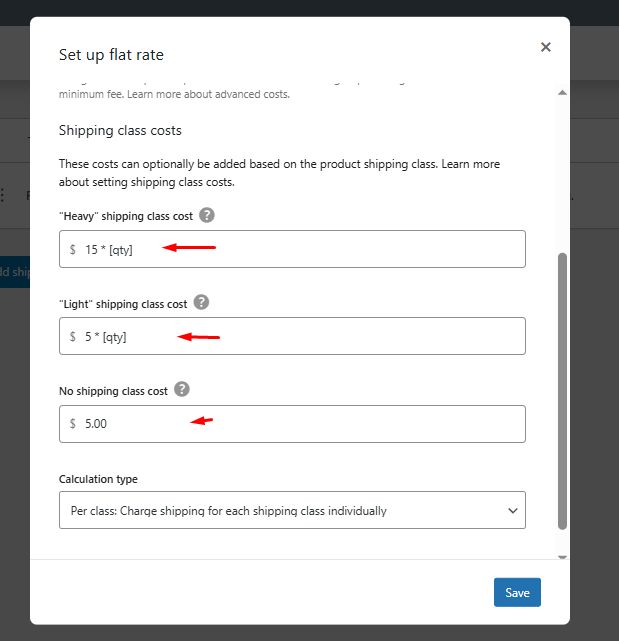
Calculation type settles mixed baskets. Per class bills each class separately; Per order bills only the priciest one. As an example, with the main Cost set to 0, a camera in a $15 “Heavy” class plus a lens in a $10 “Fragile” class comes to $25 under Per class, or $15 under Per order.
Add a cash-on-delivery charge
The Cash on Delivery gateway has no fee field of its own. A common workaround is a second flat rate, named something like “Cash on delivery”, with the surcharge built into its cost. Then open the gateway’s settings and select that rate under Enable for shipping methods.
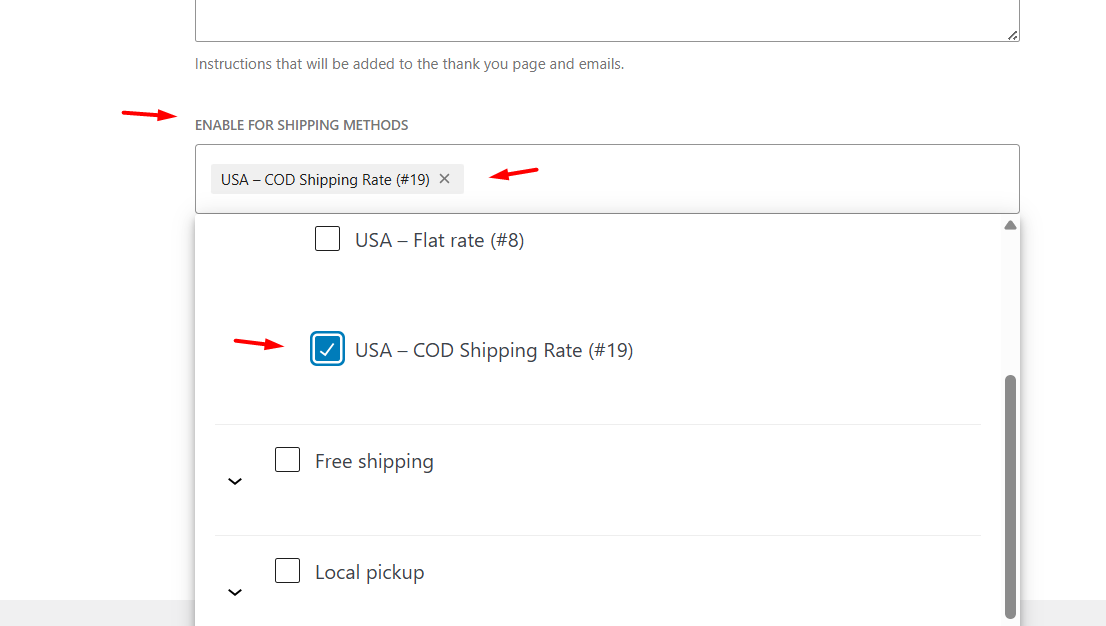
COD then appears only alongside that rate. Nothing stops someone picking the rate and paying by card, so label it clearly. Gateway setup itself is covered in how to add a payment method in WooCommerce.
Waive the charge with a Disco free-shipping campaign
Disco’s free-shipping campaigns cost nothing. One can be limited to chosen products or categories; once a qualifying item sits in the basket, Disco adds a $0 Free Shipping rate covering the entire order, listed beside your regular rates. Subtotal and quantity thresholds such as “over $100” or “3 or more items” are free too, and free shipping over an amount walks through the setup. Get Disco free for free-shipping campaigns, or see Disco Pro pricing for the cart message that shows how much is left to qualify.
Before going live, place one test order per zone: a single item, a mixed Heavy and Light basket, and one paid on delivery. If a total looks wrong, check the zone match first, then the calculation type, and only then the cost itself.
Related guides: How to Add Local Pickup to WooCommerce? · How to Add Tax Rate in WooCommerce (Step-by-Step Guide + Free CSV Template) [2026]
FAQ
How do I charge a different delivery fee per country?
Create one shipping zone per country or region and give each zone its own flat rate cost. WooCommerce matches the customer’s address to the first zone that fits.
Can I charge delivery per item in WooCommerce?
Yes. In the flat rate Cost field, use a formula with [qty], such as 2 * [qty] for $2 per product, or add a base amount in front of it.
Can Disco make shipping free for just one product?
No. A Disco free-shipping campaign can require a particular product or category to be in the cart, but the $0 rate then applies to the whole order.