Quick Summary: Best WooCommerce Sale Badge Plugins for 2026:
Best overall: Disco. Badges live inside a full discount-rules engine, keeping the badge and actual deal permanently aligned.
Best free tool: Better Badge (Custom Free Badges for WooCommerce).Over 100 templates, shapes, and scheduling tools.
Best lightweight option: Advanced Woo Labels. No need for extra CSS/JS overhead.
Best for discount-driven stores: Acowebs Product Labels. Over 700+ built-in sale badges, used in 10,000+ active installs.
Best native option: WooCommerce Product Badges. First-party extension designed specifically for Cart and Checkout Blocks.
Best for heavy customization: YITH WooCommerce Badge Management. The largest badge library, compatible with Elementor and Gutenberg.
What is a WooCommerce Sale Badge?
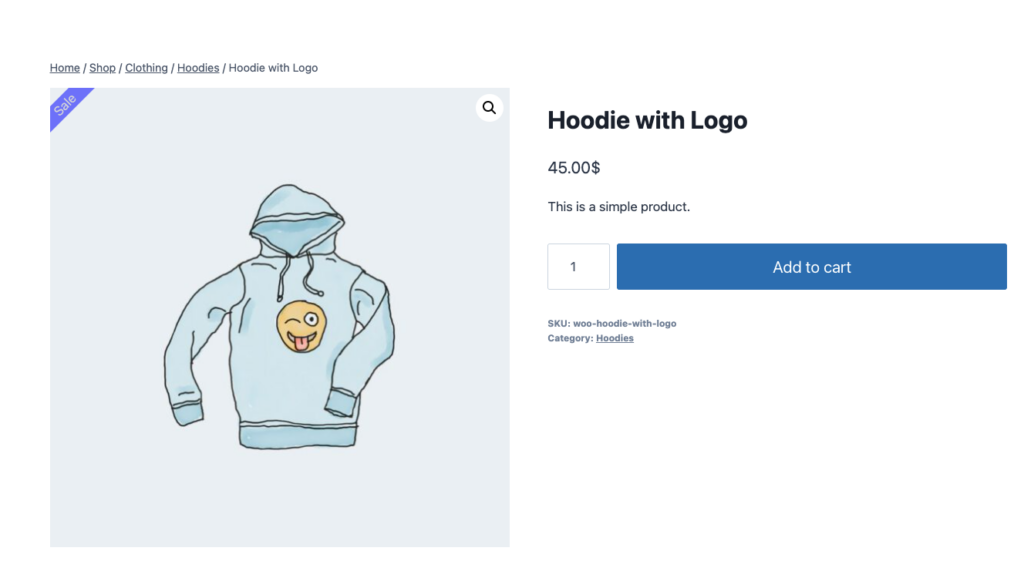
A WooCommerce Sale Badge is a small visual indicator, usually labeled as “Sale,” that appears on product images to signal that the product is discounted.WooCommerce generates a basic version, which is added automatically. Customizing its design requires a plugin or custom coding.
What Is the Best WooCommerce Sale Badge Plugin?
Sorry to burst your bubble- if you’re looking for a “ and the winner is “ moment, here’s the reality: the “best” plugin depends on what you’re trying to achieve. But if you want badges that stay accurate automatically, in other words, tied to a real discount rule instead of a sticky note that you might forget to change.
Disco is designed specifically for this purpose. For other needs, the rest of this list covers deep customization (YITH), a strong free tier (Better Badge), performance headroom (Advanced Woo Labels), sales-specific templates(Acowebs), and official WooCommerce support (WooCommerce Product Badges). All six below are actively maintained and compatible with modern WooCommerce stores as of 2026.
The default WooCommerce “ sale badge” is functional but does little to grab attention. Meanwhile, modern dynamic plugins are advanced enough to add urgency with offers like “ Only 3 left” or “ Ends Tonight.” There’s more happening than stylistic upgrades. They represent two distinct forms of the same psychological principle: “ Only 3 left” taps scarcity marketing (based on quantity), whereas “Ends Tonight” taps urgency marketing (tied to time). Both operate through loss aversion, and research indicates that quantity-driven scarcity generally outperforms time-driven urgency in boosting conversions, which is exactly why badge plugins discussed below include both, not just one.
A 2026 list matters because WooCommerce itself has changed. Several older badge plugins haven’t kept up with HPOS and Cart & Checkout Blocks. If yours hasn’t, then you might experience compatibility issues or miss out on newer platform capabilities.
WooCommerce Sale Badge Plugin Comparison at a Glance
| Plugin | Free Tier | Premium Pricing | HPOS/Blocks | Live Compatibility Test | Setup Time (est) |
| Disco | Yes, core discount rules and basic badge are included; no coding required. | Begins at $69/yr for one site | Yes / Yes | Active, zero conflicts | ~ 5 min |
| YITH WooCommerce Management | Yes, covers basic badge creation | $91.56/yr or € 79,99/yr | Yes / Yes (Gutenberg) | Installed and activated cleanly | ~15 -20 min |
| Advanced Woo Labels | Yes, complete badge creation. No coding required. | $59/yr | Yes / Yes(Gutenberg, Bricks ) | Installs and activates without issue | ~10min |
| Better Badge (Custom Product Badges) | Yes, offers 100+ templates and animations | $49/yr | Yes / Yes | Clean install and activation, zero conflicts | ~5-10min |
| Acowebs Product Labels | Yes, with basic levels included | $49 /yr | Yes / Yes (Elementor listings) | Installs and activates without issue | ~10-15min |
| WooCommerce Product Badges (official) | No, not listed on WordPress.org | $89/yr | Yes (native) | Not dependently tested (no free tier to install) | N / A |
| Testing Methodology: On July 16, 2026, we installed and activated all five competing plugins alongside Disco, then reviewed the site’s error logs and found no fatal errors or compatibility conflicts. Every price listed in this article was verified directly from each vendor’s own pricing page. The one exception is WooCommerce Product Badges (official), which has no free tier, so it couldn’t be installed for hands-on testing; its screenshot and compatibility details are sourced from the vendor’s official Marketplace listing instead. |
6 Best WooCommerce Sale Badge Plugins, Reviewed
1. Disco — Discount Rules for WooCommerce
| Pricing | Free (Core rules), plus Pro begins at $69/yr ( single site) |
| Compatibility | HPOSHPOS ✓, Blocks ✓, requires WP 5.9+ / PHP 7.4+ |
| Setup Time | ~5min |
| Track Record | 2,000+ |
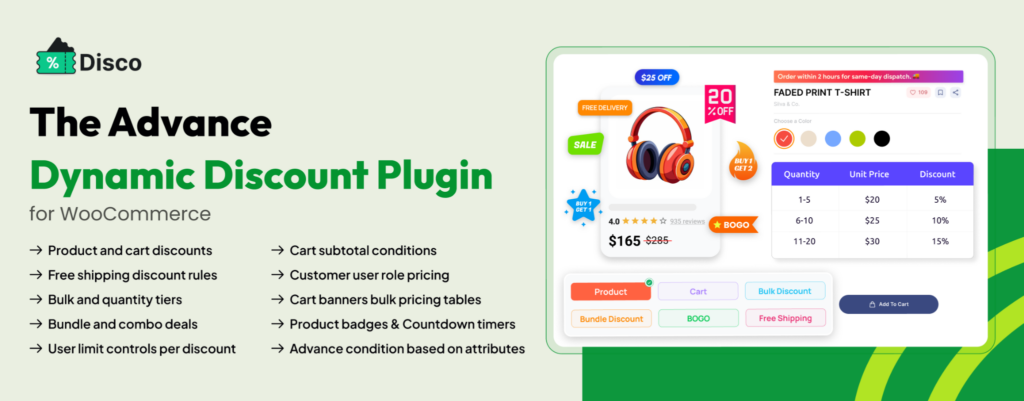
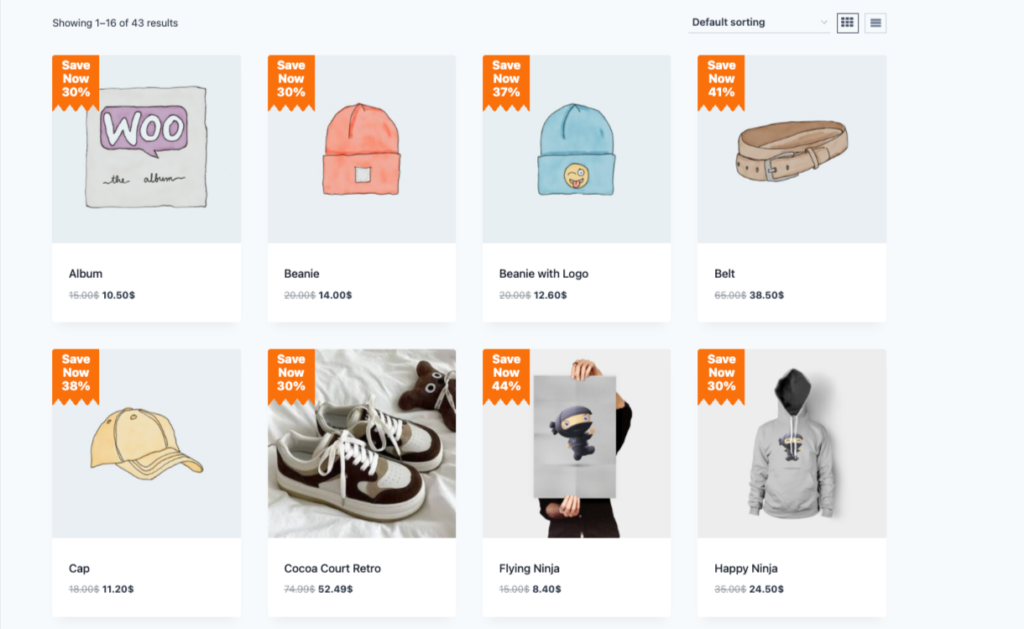
Right now, somewhere out there, A WooCommerce store is proudly displaying “30% OFF!” on a product that’s been at full price since March. Disco can’t save that particular store, but it can keep yours from ending up the same way because Badges came from a full discount-rules engine rather than a decoration left behind by accident. As a result, a BOGO deal, bulk pricing, or a scheduled Black Friday campaign automatically comes with a matching badge, so there’s no manual cleanup required when a sale ends—tested live alongside 5 competitor plugins with zero conflicts.
Strengths:
- Badges are generated automatically based on live discount rules, so they disappear when a sale ends, with no manual cleanup needed.
- No coupon codes are necessary; both the discount and its badge apply the instant conditions are met.
- The free plan comes with core discount rules along with a functional (if basic) badge, not just a demo.
Limitations:
- Custom Badge styling and image uploads are limited to Pro; the free version’s badge is useful but basic.
- The plugin primarily works as a discount plugin; you’ll need to configure a discount rule first, even if you just want the badge.
2. YITH WooCommerce Badge Management
| Pricing | $91.56/yr or € 79,99/yr |
| Compatibility | HPOS ✓, Blocks ✓ (Gutenberg), WP 6.8+ / PHP 7.4+ |
| Setup Time | ~15-20 min |
| Track Recorded | 31,700+ |
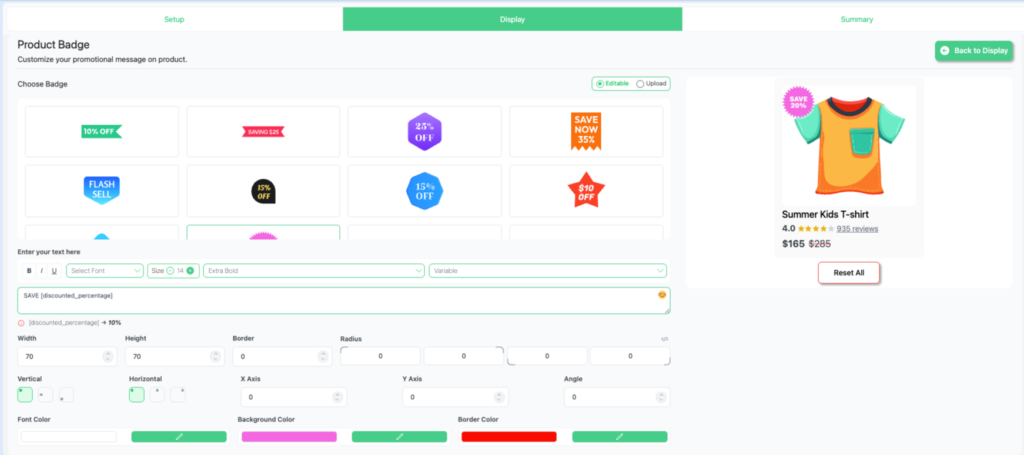
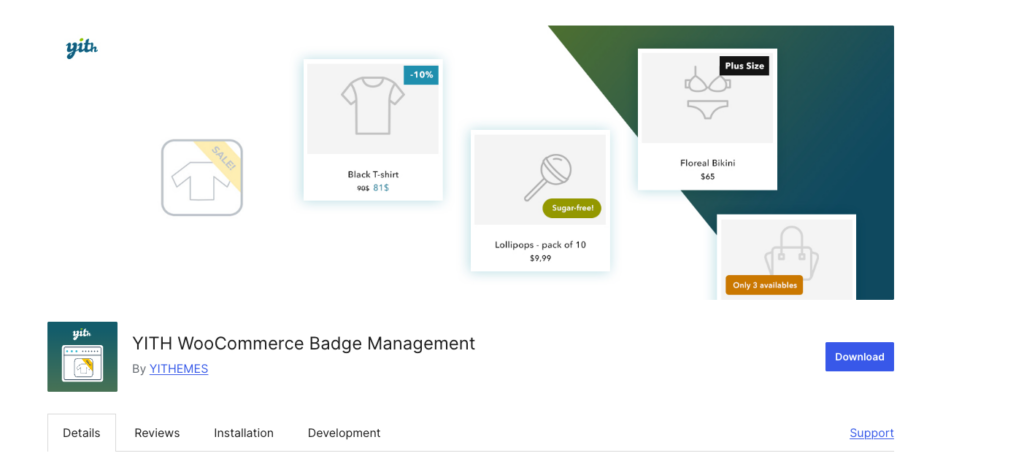
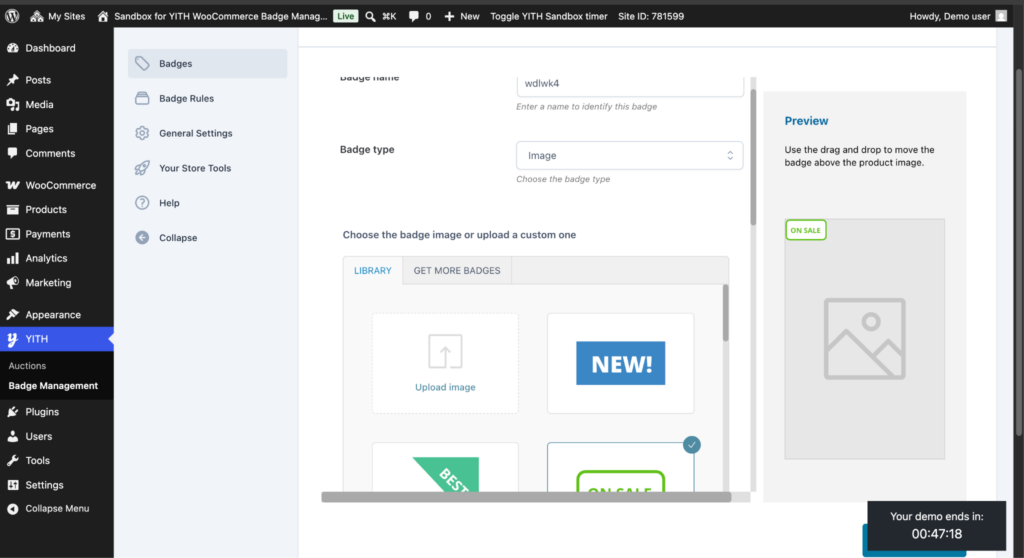
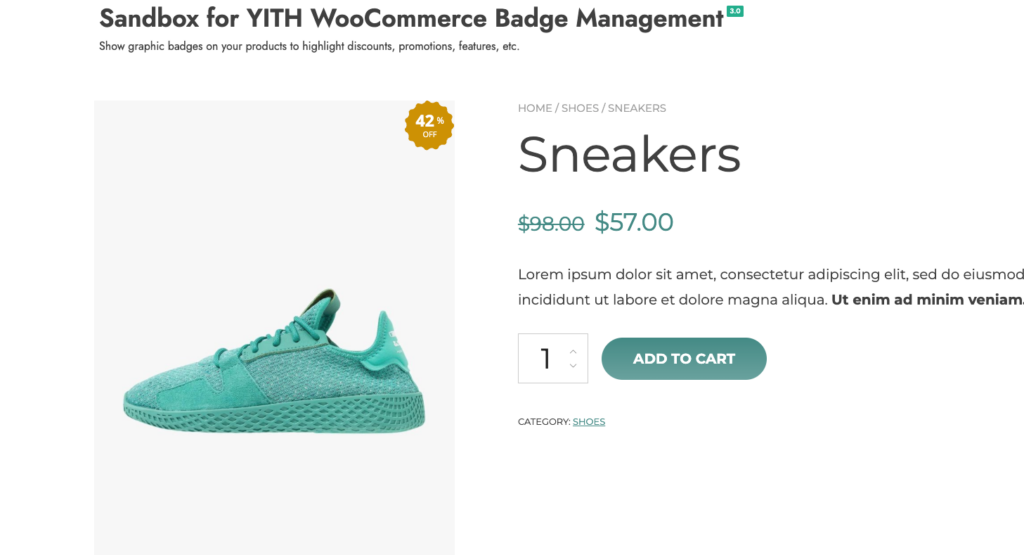
This badge builder allows unlimited custom badges(text, CSS, or image-based), 60+ pre-made designs (Black Friday, BOGO, seasonal sales), and full drag-and-drop control over color, size, rotation, padding, and position. It’s compatible with YITH’s own Dynamic Pricing Plugin, WPML, and YITH Membership. During testing, it installed and activated cleanly with zero conflicts.
Strengths:
- Offers the largest badge library on this list: 60+ pre-made designs spanning Black Friday, BOGO, and seasonal sales.
- Provides full drag-and-drop control over color, size, padding, rotation, and position, not limited to template choices alone.
- Works directly with YITH’s own dynamic Pricing, WPML, and Membership plugins, a strong fit for stores already using YITH tools.
Limitations:
- A few users on WordPress.org reported that advanced conditional rules have a learning curve.
- Premium pricing varies by region and is displayed with tax calculated at checkout, so the amount a shopper encounters could differ from what’s cited in roundups such as this one. It’s best to confirm the current figure directly on YITH’s product price.
- The gap between YITH’s own rating (4.5/5,31,779 customers) and its WordPress.org rating (2.9/5, 93 reviews) is worth investigating before either is taken at face value.
3. Advanced Woo Labels
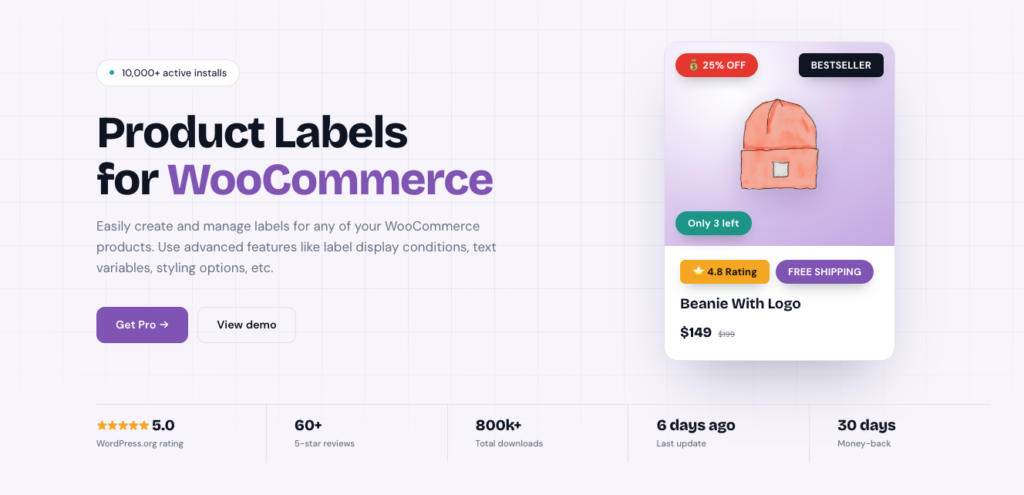
| Pricing | $59/yr |
| Compatibility | HPOS✓, Blocks✓, ( Elementor, Gutenberg, Bricks, Breakdance), WP 4.0+ / PHP 7.0+ |
| Setup time | ~10min |
| Track Record | 836,500+ |
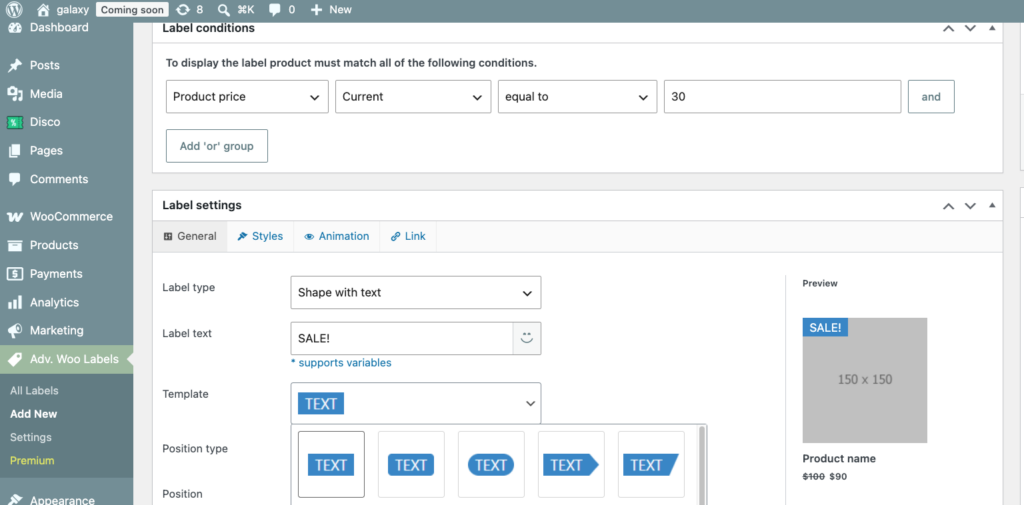
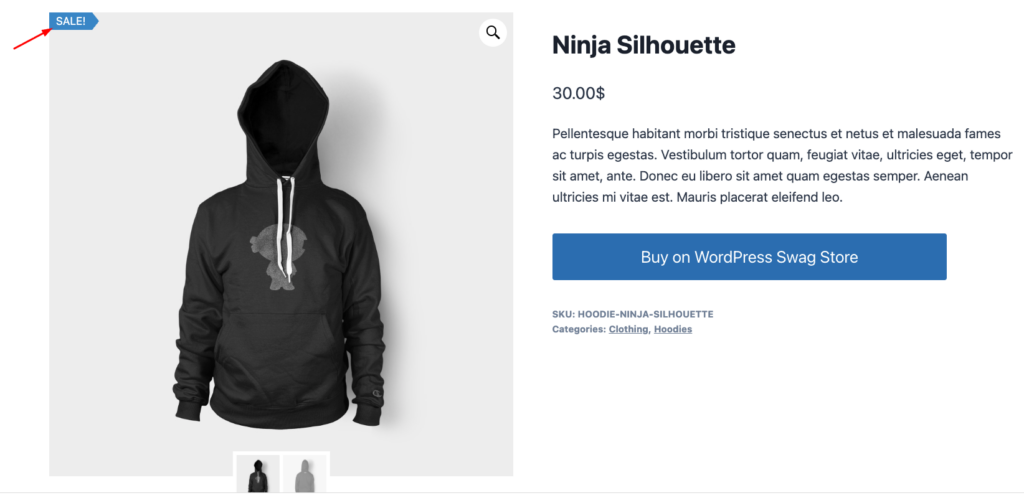
This plugin provides labels and badges with custom styles and text, built specifically to avoid adding extra CSS or JS files, a genuine performance advantage confirmed in the plugin’s own FAQ. It also supports AND/OR display logic (stock status, price range, taxonomy) and integrates with four different page builders, the most extensive support on the list. On our test site, it installed cleanly and comes with the lowest WordPress/PHP requirements of the six.
Strenghts :
- Deliberately avoids loading extra CSS/ JS files, a genuine performance benefit confirmed in the plugin’s own FAQ.
- Offers the widest page builder compatibility on the list: Gutenberg, Elementor, Brick, and Breakdance.
- Requires the lowest WordPress/PHP requirements of the six, making it well-suited for older and leaner stores.
Limitations:
- Only Pro users get access to advanced text variables (product ratings, review counts)
- There’s no free trial available for the Pro tier; The vendor offers only a 30-day money-back guarantee- in other words, you can’t test premium features before committing.
4. Better Badge (Custom Product Badges for WooCommerce)
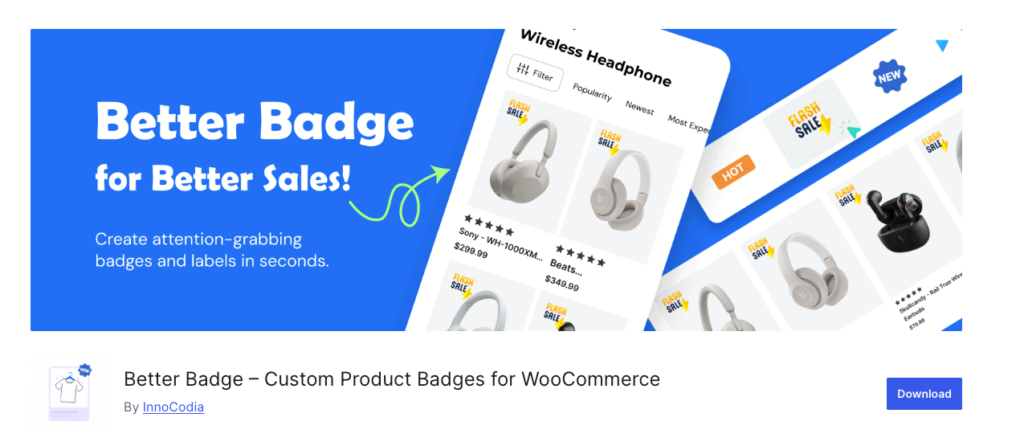
| Pricing | Free version + Pro plan $49/yr (1 site) |
| Compatibility | HPOS not yet confirmed, Blocks✓ (tested against 30+ plugins, including Elementor, Gutenberg, Bricks, Breakdance, Beaver Builder, Brizy, and Oxygen) requires WP 5.2+ / PHP 7.4+ |
| Setup time | 5~10 min |
| Track record | 300+ |
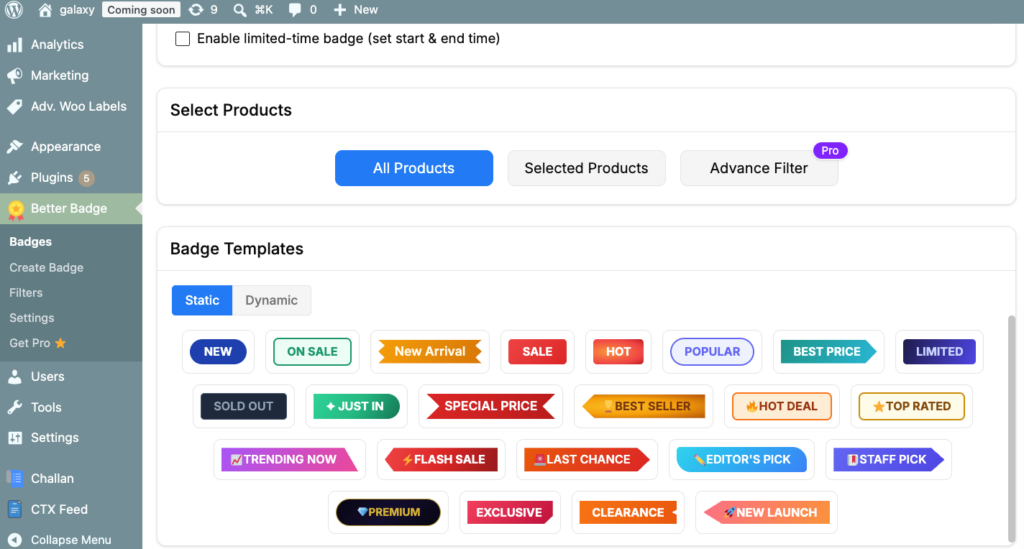
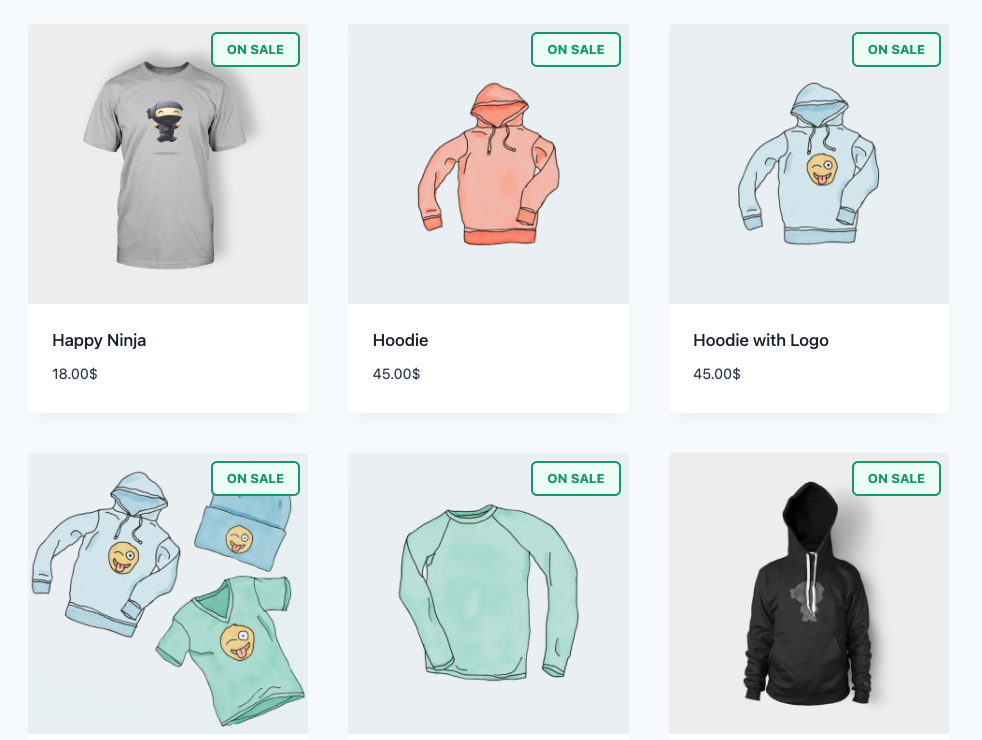
Includes 100+ built-in badge templates, and following a recent update, its shape-maker and animation shapes became available in the free tier. It is more generous than most competitors that keep animation Pro-only. Its scheduling and bulk category/tag assignments are free too. It proved to be the fastest and simplest on our test site, activating in seconds with zero errors.
Strengths:
- Provides shape-maker and animation tools at no cost, including capabilities that several competitors lock behind Pro versions.
- 100+ built-in templates, with scheduling and bulk category/tag assignment also included for free.
- Badges work as standalone elements; they don’t require any discount rule, coupon or pricing logic.
Limitations:
- Only 300+ active installations and 8 total reviews, considerably less than the more established plugins on the list.
- In March 2026, WordPress.org review flagged intrusive ads/spam in the dashboard. Although the developer responded and reportedly fixed the issue, it’s still worth knowing.
- The vendor’s site makes no mention of HPOS ( High-Performance Order Storage) compatibility, so confirm it directly if you’re running an HPOS store.
5. Acowebs Product Labels (WooCommerce Sale Badges)
| Pricing | Free + Premium from $43/yr (single site) |
| Compatibility | HPOS✓, BLOCKS✓(Elementor listings), WP 4.9+ |
| Setup Time | ~10-15min |
| Track Record | 240,000+ |
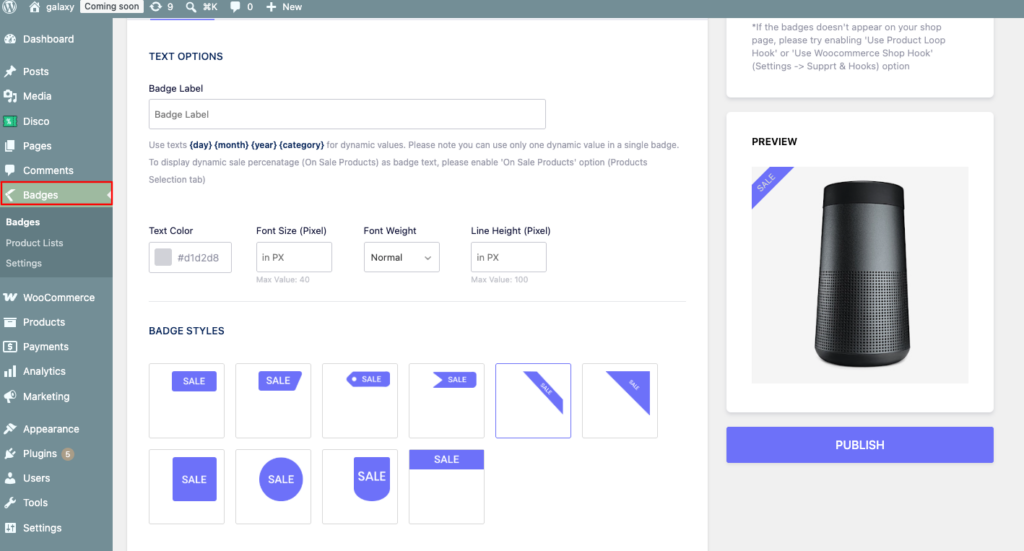
This badge provides 700 + predefined badges and a live preview editor. This tool comes from Acowebs, a vendor that also builds a dedicated WooCommerce dynamic-pricing plugin, so promotions were clearly a design priority. It was installed on our test site alongside all five other plugins, with no errors logged.
Strengths:
- Comes with 700+ predefined badge designs, more than any other option on the list.
- A live preview editor that updates in real time while you build a label.
- Developed by a vendor that also builds a dedicated WooCommerce dynamic-pricing plugin, so promotions are a core design focus, not an afterthought.
Limits :
- A WordPress.org reviewer pointed out that the free version lacks support for multiple labels per product and animated effects, both of which competitors provide for free.
- Elementor integration is explicitly documented for product listings. Support for other page builders, such as Bricks, Breakdance, or the Gutenberg block editor, isn’t stated as clearly as it is for Advanced Woo Labels.
6. WooCommerce Product Badges (Official Extension)
| Pricing | $89/yr |
| Compatibility | HPOS ✓ , and Cart & Checkout Blocks ✓ , |
| Setup Time | N/A, no free tier exists to test and measure setup time. |
| Track record | 900+ |
Product Badges for WooCommerce is an official WooCommerce extension, developed by Kestrel (not directly by Automattic). It supports pre-built SVG badges and custom image uploads, countdown timer badges, and conditional display rules based on stock status, categories, tags, and shipping classes. This extension isn’t listed on WordPress.org; therefore, we couldn’t independently verify installation or activation in our staging environment. According to WooCommerce, the extension passes its Quality Insights Toolkit (QIT) checks, Marketplace best practices, and compatibility with standard WooCommerce workflows.
Strengths :
- Explicit HPOS and Cart & Checkout Blocks Support.
- Verified against WooCommerce’s Quality Insights Toolkit (QIT) checks, including security and compatibility validation.
- Offers built-in countdown timer badges and rule-based badge display.
- Supports multiple product badges per product without additional plugins or extensions.
Limitations:
- No free version is available.
- Limited public review history (only 5) despite 900+ active installations.
- As independent installation or activation testing wasn’t possible, our assessment is based on WooCommerce’s documentation and QIT reports.
| Note: No screenshot available for this section. WooCommerce Product Badges has no free tier so it couldn’t be installed for hands-on testing on our end. All information above is sourced directly from the vendor’s official Marketplace listing. |
HPOS & Cart/Checkout Blocks: Why It Matters for Your Badge Plugin in 2026
In recent years, WooCommerce has changed significantly. HPOS (High Performance Order Storage) changed the way WooCommerce stores data, and Cart/Checkout Blocks replaced the traditional shortcode-based checkout for many stores. Plugins that haven’t been built or updated to reflect these changes can break silently; badges might appear on the shop page yet disappear at checkout or conflict with block-based themes. All six plugins have been confirmed compatible as of this writing, something most pre-2025 “ best of” lists never checked.
Does a WooCommerce Sale Badge Plugin Slow Down Your Store?
The performance impact of a badge plugin is small, but some are leaner than others. Advanced Woo Labels explicitly avoids additional CSS and JavaScript. Others introduce other front-end assets. It’s a good practice to review your Core Web Vitals after any new plugin, particularly if you’re combining several conversion-focused plugins.
Do Custom Badges Affect Google Shopping Compliance?
Your own-site custom badges don’t appear in Google Shopping feeds. Google generates listings from your structured product data and product feed instead. However, make sure your badge text matches the pricing in your feed, such as “ 50% Off”. Keeping both consistent helps you prevent Merchant Center disapprovals.
Final Thoughts: Choosing the Right WooCommerce Sale Badge Plugin
After testing six plugins in our staging environment, here’s one thing that became certain: there’s no “single” best plugin, only the right one for your store.
Every plugin, Disco included, followed the same criteria: its WordPress.org listing, HPOS/ Blocks documentation, and live testing.
If you’re looking for self-updating badges tied to a real discount rule, Disco is your best choice. For everything else: YITH (Customization), Better Badge(free tier), Advanced Woo Labels (performance), Acowebs (templates).
Not ready to install anything yet? [See Disco’s Badge Features →]
WooCommerce Sale Badge Plugin FAQ
Does WooCommerce have a sale badge by default?
Yes, WooCommerce’s native support automatically shows a ‘ sale badge’ on discounted products. However, it’s generic, can’t be adjusted without coding, and often fails to align with your store’s branding. This is one of the key reasons why a dedicated plugin proves to be valuable.
Why is my WooCommerce sale badge not showing?
The most common causes are theme conflicts, caching, or sale settings. Clear your cache first, then confirm the product has a valid sale price (and schedule, if applicable). After that, check your theme’s single product template.
Will a sale badge plugin slow down my site?
Generally no. Most quality badge plugins are designed to be lightweight, loading only the CSS or JavaScript needed on pages where badges appear. If performance becomes an issue, it’s usually because of inefficient code or large image-based badges. So it’s worth checking user reviews for reports of performance or Core Web Vitals issues.
Is a free plugin enough, or do I need premium?
For most stores, a free plugin is usually enough for standard badge needs. That includes basic sale badges, simple positioning, and standard styling. Premium versions are better suited to stores that need advanced functionality, such as multiple badge types, scheduled campaigns, conditional logic, and deeper customization.
Can I customize the badge text, shape, or color?
A dedicated badge plugin allows you to customize badge text, colors, fonts, shapes, and sizes, something that the WooCommerce built-in system doesn’t support. If brand consistency is a priority, it’s time to consider these features.
Do urgency badges actually increase conversions?
Yes, but only if the urgency is real. Major retailers such as Home Depot’s “Only 3 Left in Stock” messages, Khy’s “Few Items Left” badges (TechArms), and Booking.com follow a similar approach by displaying verified low-stock information alongside pricing (Scandiweb). These examples come from custom enterprise platforms rather than WooCommerce plugins. But the lesson carries over: Badges perform best on real inventory or discount data. Misleading scarcity or generic promotional labels can damage customer trust.
Related reading: How to Add & Customize a WooCommerce Sale Badge · Best WooCommerce Countdown Timer Plugins · Displaying Product Badges in WooCommerce (Docs)