The digital coupon market crossed $10.6 billion in 2025. Meanwhile, 90% of U.S. consumers have used a coupon before buying online, and 62% actively search for promo codes before completing a purchase.
For WooCommerce store owners, that stat isn’t just trivia — it’s a revenue opportunity sitting right on your checkout page.
Here’s the problem: WooCommerce’s built-in coupon system was built for simplicity, not scale. You can create a basic percentage-off or fixed-amount code. That’s genuinely useful. But what happens when you need to run a Buy One Get One deal? Auto-apply a discount when the cart hits $100? Generate 5,000 unique codes for a Black Friday email blast? Share a single URL that applies a coupon the moment someone clicks? The default system can’t do any of that.
That’s where a dedicated WooCommerce coupon plugin becomes essential.
We installed and tested 12 of the most widely used WooCommerce coupon plugins on a live WooCommerce 9.x store running 500+ products across multiple categories. We measured setup time, page load impact, feature depth, and value for money.
Below, you’ll find honest reviews, real pros and cons, a comparison table, and a clear decision guide — so you can pick the right plugin and get your first coupon live today.
How We Tested These WooCommerce Coupon Plugins?
We didn’t base this on marketing pages or star ratings alone. Every plugin on this list was installed on the same WooCommerce 9.x test environment — Storefront theme, 500+ products across 12 categories, WooCommerce HPOS enabled. Here’s what we measured:
- Feature coverage: BOGO, auto-apply, URL coupons, cart conditions, bulk generation, scheduling, usage limits, user role restrictions, coupon stacking
- Setup time: From plugin install to a fully working coupon in the cart. Under 5 minutes = good. Over 15 minutes = a problem.
- Performance impact: Page load increase measured with Query Monitor across 3 averaged page loads per plugin
- Compatibility: Tested against WooCommerce HPOS, Astra, Kadence, and Storefront themes; WPML for multilingual stores
- Free version quality: How much does the free version actually do vs. what’s locked behind a paywall?
- Support quality: Documentation depth, response times, community resources
| Metric | Result |
|---|---|
| Average setup time (install → first working coupon) | 6.2 minutes |
| Fastest setup | Disco – 2.5 minutes |
| Slowest setup | YITH Dynamic Pricing – 14 minutes |
| Average page load impact | +0.17 seconds |
| Lightest plugin | Coupon Creator (+0.04s) |
| Heaviest plugin | ShopLentor (+0.41s — full page builder) |
One rule we followed throughout:
We only installed one coupon plugin at a time. Running multiple discount engines simultaneously is the #1 cause of stacking conflicts, broken pricing rules, and support nightmares. We’ll come back to this in the FAQ.
When Do You Actually Need a WooCommerce Coupon Plugin?
Not every store does. If all you need is a basic 10% off code or a fixed $5 cart discount, WooCommerce’s native coupon system is enough. Save yourself a plugin install.
You need a dedicated WooCommerce coupon code plugin when your store needs any of the following:
- BOGO deals — Buy One Get One Free, Buy 2 Get 1, Buy X Get Y with flexible matching
- Auto-apply discounts — coupons that apply automatically when cart conditions are met, no code entry needed
- URL coupons — share a link that auto-applies a discount, perfect for email and social campaigns
- Cart conditions — “only apply this coupon if the cart total is over $75 AND includes a product from the Vitamins category”
- Tiered / quantity-based pricing — buy 1-9 at full price, buy 10-49 at 10% off, buy 50+ at 20% off
- Coupon scheduling — set a precise start date and end date for flash sales or seasonal events
- Bulk unique coupon codes — generate thousands of single-use codes for campaigns
- User role restrictions — wholesale pricing, member-only discounts, first-time buyer coupons
- Coupon stacking rules — control whether multiple coupons can apply to the same order
- Gift cards and store credit — issue store credit for refunds, run gift card campaigns
- Import/export — migrate coupons between stores, export coupon data for reporting
If two or more of those describe your store, keep reading.
Quick Comparison Table – Best WooCommerce Coupon Plugins at a Glance
| Plugin | Best For | Price/Year | Free Version | Active Installs | Rating |
|---|---|---|---|---|---|
| DISCO | Best overall – all-in-one coupon + discount engine | $69/yr | Yes | 800+ | 4.1/5 |
| Advanced Coupons | Cart conditions + BOGO | $99.50/yr | Yes | 20,000+ | 4.4/5 |
| Smart Coupons (StoreApps) | Gift cards + store credit | $129/yr | No | 26,000+ paying | 4.4/5 |
| Smart Coupons (WebToffee) | Free BOGO coupons | $89/yr | Yes | 30,000+ | 4.7/5 |
| YITH Dynamic Pricing | Tiered/wholesale pricing | €69.99/yr | No | N/A (premium) | 4.2/5 |
| FunnelKit Cart | Side cart + AOV boost | $99/yr | No | N/A (premium) | 4.8/5 |
| Coupon Generator | Bulk code creation | Free | Yes (only) | 1,000+ | 4.5/5 |
| Retainful | Abandoned cart + email coupons | $19/mo | Yes | 3,000+ | 4.7/5 |
| OptinMonster | Coupon popups + exit-intent | $9/mo | No | 1M+ (all WP) | 4.3/5 |
| YITH Gift Cards | Selling gift card products | €99.99/yr | Yes | 10,000+ | 4.3/5 |
| ShopLentor | Page builder + coupon module | $59/yr | Yes | 40,000+ | 4.4/5 |
| Coupon Creator | Visual coupon display | Free | Yes (only) | 1,000+ | 4.0/5 |
Best WooCommerce Coupon Plugins – Full Reviews
1. DISCO – Best Overall WooCommerce Discount Plugin
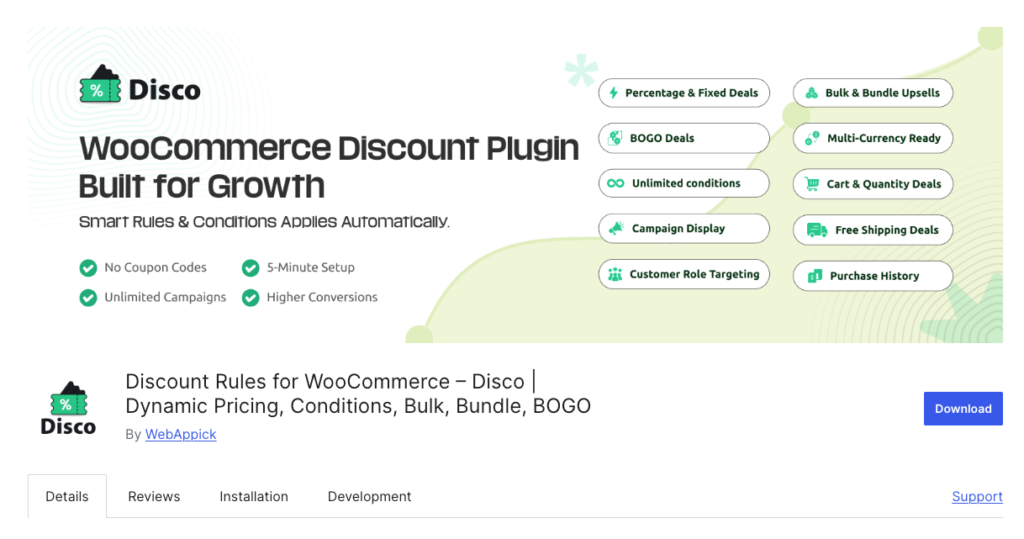
DISCO is the most complete WooCommerce discount plugin available today. Unlike plugins that simply extend WooCommerce’s built-in coupon screen, DISCO is a full discount engine — handling both traditional coupon codes and automatic discount rules that apply without any code entry. It’s the single plugin you need if you want to run every type of promotion your store will ever require.
In our testing, DISCO had the fastest time-to-first-coupon of any plugin we reviewed. Within 2.5 minutes of installing, we had a working percentage discount live in the cart. Setting up a BOGO deal took another 3 minutes on top of that. The interface is purpose-built for non-developers — you don’t need to touch a line of code.
Picture a busy store running four promotions at once: 15% off for logged-in wholesale customers, a Buy 2 Get 1 Free deal on a specific product range, a $10 off coupon code for first-time buyers, and a flash sale ending midnight Sunday. DISCO handles all four simultaneously, without conflicts, with a clear priority system that tells you exactly which rule fires when.
Key Features of DISCO Plugin
Coupon types
- Percentage discount coupons — apply a % off at product, category, or cart level
- Fixed amount coupons — flat dollar/currency off individual products or cart totals
- BOGO (Buy One Get One) coupons — Buy X Get X free, Buy X Get Y free, tiered BOGO (Buy 3 Get 1, Buy 6 Get 2), cross-product BOGO
- Free gift coupons — attach a free product to any coupon code
- Shipping coupons — offer free or discounted shipping as a coupon reward
Automatic discount rules (no code required)
- Cart-total-based discounts — “10% off when cart exceeds $100”
- Quantity-based tiered pricing — displayed as a pricing table on product pages
- Category and tag-based discounts — apply deals across entire product groups
- Purchase history rules — discount returning customers automatically
- User role pricing — different prices for wholesale, retail, members, guests
Advanced coupon controls
- Auto-apply — discounts fire automatically when conditions are met, zero friction
- URL coupons — share a link that applies the coupon on click, ideal for email campaigns
- Coupon scheduling — set exact start and end dates with time precision for flash sales
- Coupon-based activation — trigger automatic discount rules only when a specific code is entered
- Usage limits — per coupon and per customer, prevent abuse
- Coupon stacking — control exactly which coupons can combine on the same order
Display and UX
- Strikethrough pricing on product pages and cart — “Was $49.99, Now $39.99”
- “You saved X” messaging at checkout — reinforces purchase confidence
- Pricing table on product pages for tiered/bulk pricing
- Coupon display on cart page — show available deals before the customer leaves
Bulk and management tools
- Bulk coupon code generator — create thousands of unique codes for campaigns
- Import/export coupons as CSV — migrate between stores, export for reporting
- Coupon management dashboard — view, filter, and manage all active coupon rules in one place
- Built-in sales reporting — track which rules drive the most revenue
Compatibility
- WooCommerce HPOS (High-Performance Order Storage) compatible
- WPML and multilingual plugin compatible
- Works with Astra, Kadence, Storefront, Divi, and most major themes
- Compatible with WooCommerce Subscriptions, Bookings, and composite products
Pricing
- Free version: Available on WordPress.org. Covers product-level discounts, basic percentage rules, simple conditions. 800+ active installs.
- Pro — Single site: $69/year. Unlocks BOGO, cart adjustments, URL coupons, coupon scheduling, advanced conditions, user role pricing, purchase history rules, bulk generator, and priority support.
- Pro — Ten-site: $124/year. Same features across unlimited sites.
Why [DISCO] Ranks #1
Every other plugin on this list does one or two things well. Advanced Coupons handles cart conditions. Smart Coupons does gift cards. YITH handles tiered pricing. DISCO does all of it. For most WooCommerce store owners — whether you’re running a small DTC store or managing enterprise-level promotions — DISCO is the only plugin you’ll need to install.
The free version is genuinely useful, not a crippled teaser. And at $69/year for Pro, it’s the best value on this list by a wide margin.
Pros:
- Handles coupon codes AND automatic discount rules — no need for two separate plugins
- Fastest setup time in our test (2.5 minutes to first working coupon)
- BOGO, tiered pricing, URL coupons, cart conditions, scheduling — all in one place
- Free version covers most basic store needs
- HPOS compatible, works with WPML and major themes
- 4.1/5 star rating
Cons:
- Advanced BOGO rules and cart-based conditions require the Pro version
- Complex multi-rule setups have a short learning curve (mitigated by strong documentation)
- [Add any real limitation here]
Best for: Any WooCommerce store that wants one plugin to handle every type of discount and coupon — from simple codes to dynamic pricing, BOGO, and bulk generation.
2. Advanced Coupons – Best for Cart Conditions & BOGO Coupons

Advanced Coupons is the most popular WooCommerce coupon plugin on WordPress.org that focuses exclusively on extending the native coupon interface. With 20,000+ active installs, it adds BOGO deals, cart condition rules, URL coupons, and auto-apply functionality directly to WooCommerce’s Marketing → Coupons screen — so you’re working within a familiar UI.
The core strength here is the cart conditions engine. You can build rules that say: “only apply this coupon if the cart subtotal exceeds $75 AND the customer has at least 3 items from the Vitamins category AND is logged in.” That kind of conditional logic is simply not available in WooCommerce’s built-in system.
In our testing, setting up the first BOGO deal took about 5 minutes. The interface is intuitive if you’re already comfortable with WooCommerce’s coupon editor, since Advanced Coupons just adds new tabs rather than replacing the whole screen.
Key features:
- BOGO deals with flexible product matching, including cross-product (Buy Product A, get Product B free)
- Cart conditions — trigger coupons based on subtotal, item count, specific products, shipping zone, or user role
- Auto-apply coupons — fire automatically when cart conditions match, no code entry needed
- URL coupons — shareable links that apply the discount on click
- Coupon scheduling with day and time precision
- Store credit and virtual coupon system (via premium add-on)
- Coupon categories for organizing large coupon libraries
- Loyalty program (via separate paid add-on)
Pricing:
- Free: BOGO, cart conditions, auto-apply, URL coupons, role restrictions — 20,000+ active installs
- Premium: From $59.50/year (single site). Adds scheduling, virtual coupons, shipping/payment conditions
Pros:
- Free version includes BOGO and cart conditions — rare at this price point
- Stays within the native WooCommerce coupon UI — no new dashboard to learn
- Strong cart condition builder with flexible rule logic
- Good documentation and active support
Cons:
- Loyalty program is a completely separate paid add-on
- No dynamic pricing or tiered price tables — coupon-focused only
- Some users report slower support response times at premium tier
- Annual renewal only, no lifetime license option
Best for: Stores that want to extend WooCommerce’s native coupon screen with smart cart-condition rules and BOGO deals, without migrating to a new discount system.
3. Smart Coupons by StoreApps – Best for Gift Cards & Store Credits
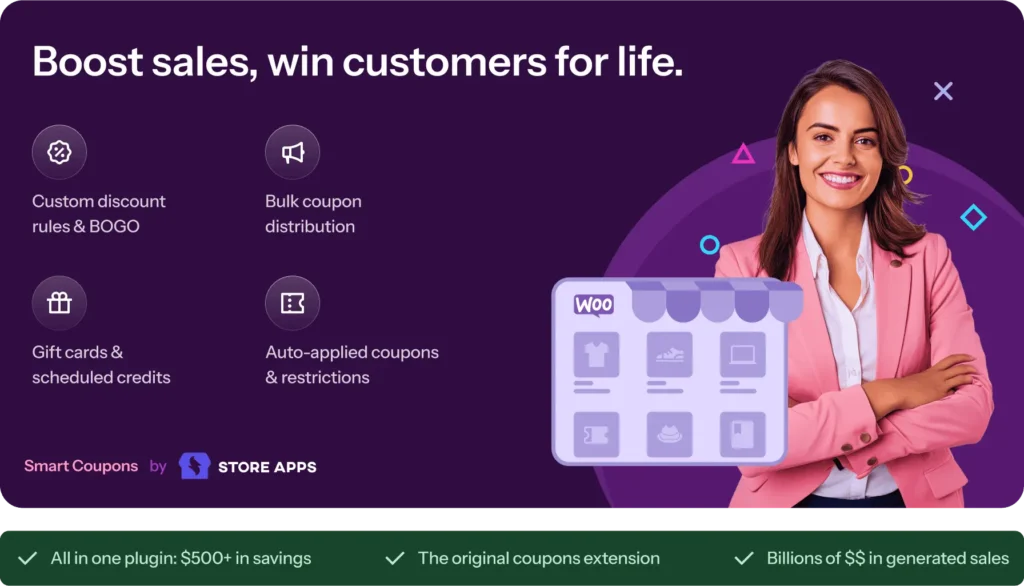
Smart Coupons is the official WooCommerce.com coupon extension, first launched in 2012. With 26,000+ paying customers and a 13-year track record, it’s the go-to plugin specifically for stores that need gift cards and store credit as core business functions.
The gift card system is genuinely best-in-class. Customers can purchase gift cards as products, send them to recipients via email with custom messages, and redeem them at checkout. Store owners can issue credit for refunds (keeping the customer in-store instead of processing card refunds), run store credit loyalty rewards, and track per-customer balances.
Key features:
- Gift card creation and sales — both physical and digital, with custom imagery
- Store credit for refunds, rewards, and loyalty — per-customer balance tracking
- Bulk coupon generation — hundreds of unique codes in one click, CSV export
- Auto-apply based on cart conditions
- URL coupons for email and social campaigns
- Email gift cards directly to recipients after purchase
- Coupon stacking — allow multiple codes per order with configurable rules
- Reminder emails for unused or expiring coupons
Pricing:
- $129/year single site. No free version.
Pros:
- Best-in-class gift card and store credit system
- Official WooCommerce extension — guaranteed compatibility
- 13-year track record, 26,000+ paying customers
- Bulk coupon generation built-in
Cons:
- No free version — $129/year is steep for small stores
- BOGO deals are basic compared to dedicated plugins
- UI feels dated compared to newer competitors
Best for: Stores whose primary use case is selling gift cards, issuing store credit for refunds, or running large-scale loyalty programs built around store credit.
4. Smart Coupons for WooCommerce (WebToffee) – Best Free BOGO Coupon Plugin
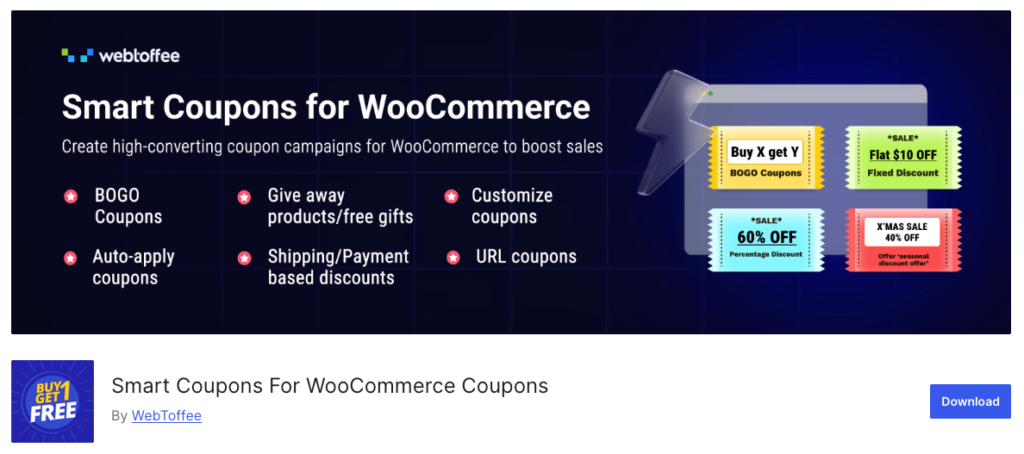
Not to be confused with StoreApps’ Smart Coupons above — this is a completely separate plugin from WebToffee, with a different feature set and different company behind it. With 30,000+ active installs, WebToffee’s version stands out for one key reason: it includes a dedicated BOGO module in the free version. Most competitors lock BOGO behind a paid upgrade.
In our testing, setting up a “Buy 3 T-Shirts, Get 1 Free” deal took 4 minutes and worked correctly — including applying the deal repeatedly (Buy 6, Get 2 Free). The free version handled this without any issues.
Key features:
- Dedicated BOGO module (free) — Buy X Get X, Buy X Get Y, tiered BOGO
- Auto-apply coupons when conditions match
- Coupon restrictions by product, category, user role, shipping method, payment method
- Giveaway coupons — attach a free product to any coupon
- Bulk coupon generation with CSV import/export
- URL coupons with auto-apply
- Display available coupons on cart, checkout, and My Account pages
- Shortcodes for displaying deals on any page
Pricing:
- Free: BOGO, auto-apply, restrictions, giveaways, coupon display — 30,000+ installs
- Premium: From $69/year. Adds purchase-history coupons, store credit, gift cards, discount banners
Pros:
- Free BOGO module is rare — most competitors charge for this
- 30,000+ installs with strong community validation
- Coupon display on cart/checkout reduces abandonment
- Scheduling included in the free version
Cons:
- Plugin name creates confusion with StoreApps’ Smart Coupons
- Store credit and gift cards locked behind premium
- Occasional user-reported bugs with coupon usage limits
Best for: Store owners who need BOGO coupon functionality but can’t or don’t want to pay for a premium plugin. The most capable free WooCommerce BOGO coupon plugin available.
5. YITH Dynamic Pricing & Discounts – Best for Tiered / Quantity-Based Pricing
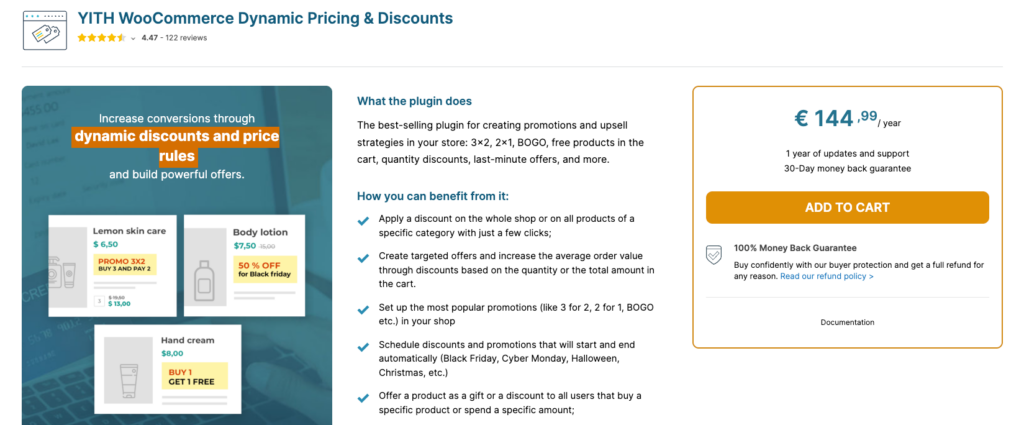
YITH Dynamic Pricing takes a rules-first approach. Instead of creating coupon codes, you build pricing rules that apply automatically when customers meet quantity or order thresholds. It’s the right tool for wholesale stores, B2B setups, and any store running volume-based pricing where the goal is automatic discounts rather than code-based promotions.
In our testing, the setup was the slowest on this list at 14 minutes for the first tiered rule. The interface is more complex than competitors and requires more configuration steps. Once it’s configured, however, it runs reliably.
Key features:
- Quantity-based tiers — buy 1-9 at full price, 10-49 at 10% off, 50+ at 20% off
- User role pricing — separate wholesale vs. retail pricing
- Cart-level rules based on total or item count
- Percentage and fixed discounts at product, category, or cart level
- Date-scheduled rules with auto-start and auto-stop
- Category and tag-based pricing rules
Pricing:
- €69.99/year single site. No free version.
Pros:
- Excellent for B2B and wholesale stores with group pricing needs
- Set-and-forget rule engine — no coupon codes to manage
- User role pricing is genuinely useful for separating wholesale from retail
Cons:
- No free version
- No coupon code functionality — rules only, no URL coupons
- Slowest setup in our test (14 minutes)
- Interface feels dated
Best for: Wholesale and B2B stores that need automatic tiered pricing based on quantity or user role, with no coupon code management required.
6. FunnelKit Cart – Best for Side Cart Coupons & AOV Boost
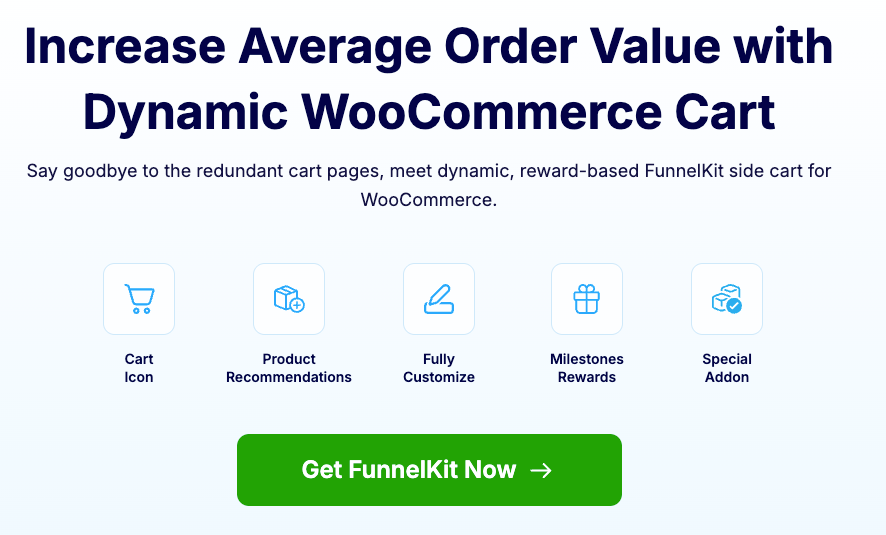
FunnelKit Cart replaces WooCommerce’s default cart page with a modern slide-out side cart — and builds coupon application and upsell mechanics directly into that cart experience. It’s not primarily a coupon plugin; it’s an AOV optimization tool that treats coupon display as part of the purchase journey.
The core mechanic is the free shipping progress bar: “You’re $15 away from free shipping.” This nudge, shown inside the cart drawer, pushes customers to add one more item. FunnelKit reports 15-25% higher AOV for stores using this feature.
Key features:
- Slide-out side cart with coupon auto-apply
- Free shipping progress bar with dynamic threshold display
- Product recommendations and upsells inside the cart drawer
- Reward tiers — free gifts at spend thresholds
- Works with WooCommerce’s native coupon system and restrictions
Pricing:
- $99/year as part of the FunnelKit suite. No standalone free version.
Pros:
- Modern, conversion-optimized cart UX
- Progress bars demonstrably boost AOV
- Cart-level upsells and recommendations built-in
Cons:
- Requires the FunnelKit ecosystem — not a standalone coupon tool
- $99/year for what is essentially a cart UI enhancement
- Doesn’t create or manage coupon rules — needs a companion plugin
Best for: Stores focused on increasing average order value through cart experience improvements. Use alongside a full coupon plugin like [DISCO] for the actual rule management.
7. WooCommerce Coupon Generator – Best Free Bulk Coupon Code Generator
This single-purpose free plugin does exactly one thing: generate large batches of unique WooCommerce coupon codes. It does that one thing extremely well. In our testing, it generated 5,000 unique codes in under 45 seconds without a single error or site performance issue.
If you’re running a Black Friday email campaign and need 10,000 unique, single-use codes with a custom prefix and a 72-hour expiry — this is the tool. Nothing else needed.
Key features:
- Generate up to 1,000,000 unique coupon codes per session
- Custom prefixes and suffixes (e.g., “SUMMER-XXXX-2026”)
- Set coupon expiry dates and usage limits in bulk
- Export generated codes as a text file for email or SMS campaigns
- Native WooCommerce interface — fastest setup in our test (2 minutes)
Pricing:
- Completely free. No premium version, no upsell.
Pros:
- Fully free with no hidden tiers
- Handles massive bulk generation without crashing
- Fastest setup of any plugin in our test
Cons:
- Only generates codes — no BOGO, no cart conditions, no auto-apply
- No discount logic — needs a companion plugin for the actual discount rules
Best for: Stores running large email or SMS campaigns that need thousands of unique single-use coupon codes. Use with DISCO or Advanced Coupons for the discount rules themselves.
8. Retainful – Best for Coupon-Based Email Automation
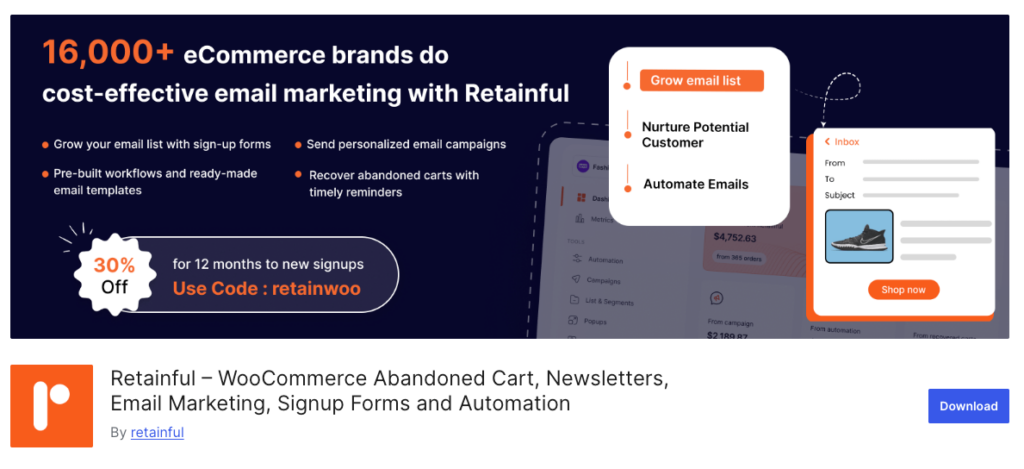
Retainful combines coupon creation with email marketing automation, specifically targeting abandoned cart recovery and post-purchase re-engagement. With 3,000+ active installs, it’s built for stores that want coupons delivered automatically by email, not just sitting in the backend waiting to be used.
Research from the Baymard Institute puts the average cart abandonment rate at 70.19%. Retainful attacks that number with automated coupon emails: a customer abandons a $120 cart, and 30 minutes later they receive a unique, single-use 10% off code with a 24-hour expiry. That workflow runs automatically, every time.
Key features:
- Abandoned cart recovery emails with unique coupon codes and configurable expiry
- Post-purchase thank you emails with next-order coupons
- Win-back emails for inactive customers with time-limited codes
- Refer-a-friend program with coupon rewards
- Works with both WooCommerce and Shopify
Pricing:
- Free: Basic abandoned cart emails — 3,000+ active installs
- Premium: From $19/month ($228/year). Full automation, referrals, next-order coupons
Pros:
- Combines email automation and coupon delivery in one tool
- Abandoned cart recovery alone can recapture 5-15% of lost sales
- Referral program included with premium
Cons:
- Monthly pricing adds up ($228/year for premium)
- Not a coupon management plugin — focused on email delivery
- Limited coupon customization compared to dedicated tools
Best for: Stores losing significant revenue to cart abandonment who want automated, coupon-backed recovery sequences running in the background.
9. OptinMonster – Best for Coupon Popups & Exit-Intent Display
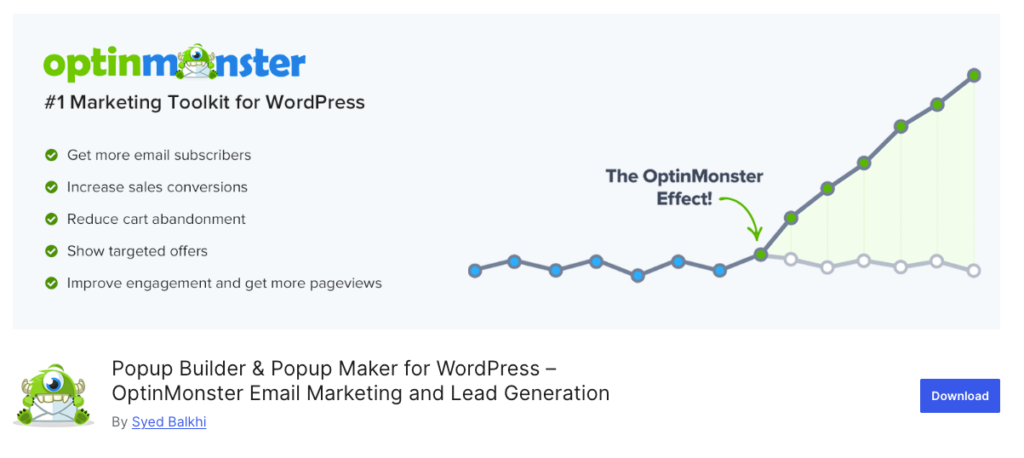
OptinMonster isn’t a WooCommerce coupon plugin in the traditional sense — it doesn’t create discount rules or coupon codes. What it does is display coupon codes through high-converting popups, exit-intent overlays, spin-the-wheel campaigns, and floating announcement bars.
The business case is clear: 85% of consumers have abandoned a cart because they couldn’t find a coupon code. An exit-intent popup showing a 10% off code the moment a visitor tries to leave directly solves that problem.
Key features:
- Exit-intent popup with coupon code display
- Spin-to-win gamified coupon wheel — 67% of consumers prefer percentage-off coupons
- Floating announcement bars for sitewide promotions
- Page-level targeting (different coupons on different pages)
- A/B testing for popup designs and coupon offers
- Integrates with all major email marketing platforms
Pricing:
- Basic: $9/month. Coupon wheel and exit-intent require Growth plan at $49/month.
Pros:
- Exit-intent popups recover abandoning visitors effectively
- Gamified spin wheels boost engagement and email list growth
- Excellent A/B testing capabilities
Cons:
- Display only — doesn’t create or manage coupon logic
- Growth plan ($49/mo) needed for the best features
- Requires a separate plugin for actual coupon creation
Best for: Stores wanting to actively promote and display coupon codes through popups and engagement mechanics. Always pair with a full coupon plugin for the discount rules.
10. YITH WooCommerce Gift Cards – Best for Selling Gift Cards as Products
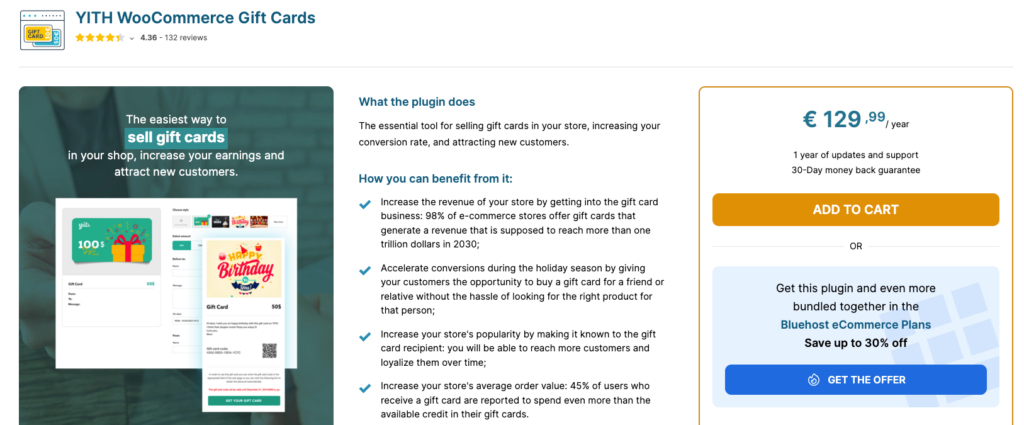
If your primary goal is selling gift cards as purchasable products — not just using coupons as internal promotions — YITH Gift Cards is purpose-built for that specific need. With 10,000+ free installs on WordPress.org, it’s the most popular standalone gift card plugin in the WooCommerce ecosystem.
Gift card sales are significant business: over $170 billion was spent on gift cards in the U.S. in 2024 alone. For stores that want a slice of that, a dedicated gift card plugin pays for itself quickly.
Key features:
- Sell physical and digital gift cards as WooCommerce products
- Customizable templates with seasonal designs (Christmas, birthdays, etc.)
- Preset and custom-amount gift cards
- Email delivery with custom personal messages from the sender to the recipient
- Gift card balance tracking — customers can check remaining credit
Pricing:
- Free: Basic gift card creation — 10,000+ installs
- Premium: €99.99/year. Custom images, physical cards, advanced scheduling
Pros:
- Best gift card selling system in the WooCommerce space
- Easy setup — 5 minutes to first gift card product
- Beautiful customizable templates
Cons:
- Gift cards only — not a general coupon plugin
- Premium is expensive (€99.99/year) for a single-feature plugin
- Limited discount rule capabilities
Best for: Stores that sell gift cards as primary products and want a polished, customer-facing gift card experience.
11. ShopLentor Advanced Coupon – Best All-in-One Builder with Coupon Features
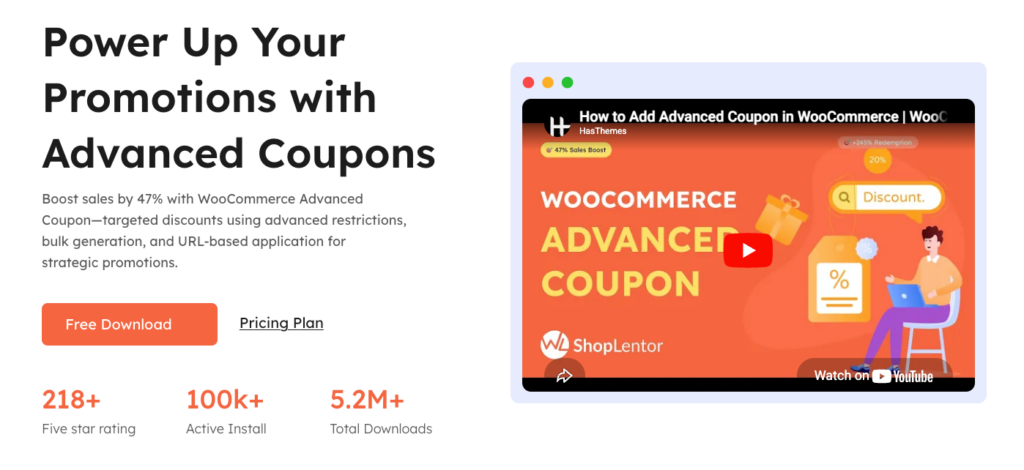
ShopLentor is an Elementor-based WooCommerce page builder with 40,000+ active installs that includes an Advanced Coupon Module as part of its larger toolkit. This is not a standalone coupon plugin — coupons are one feature module inside a full page builder. In our testing, it added the highest page load impact on this list (+0.41 seconds) because it loads the entire page builder framework.
Key features:
- Coupon start date scheduling and auto-activation
- Bulk coupon code generation
- URL coupons for email marketing
- Country restrictions, shipping method limits, user role pricing
- Custom error messages for invalid coupons
- Part of a complete WooCommerce page builder suite
Pricing:
- Free: Basic page builder — 40,000+ installs
- Premium: From $59/year. Advanced coupon module included
Pros:
- Coupon features bundled with a full page builder — good value if you need both
- Country and shipping coupon restrictions are useful
- 40,000+ active installs, well-tested
Cons:
- Coupons are secondary — the plugin’s focus is page building
- +0.41s page load impact — heaviest in our test
- Overkill if you only need coupon functionality
Best for: Stores already using Elementor-based WooCommerce builders that want coupon features without installing a separate plugin.
12. Coupon Creator – Best Free Coupon Display Plugin
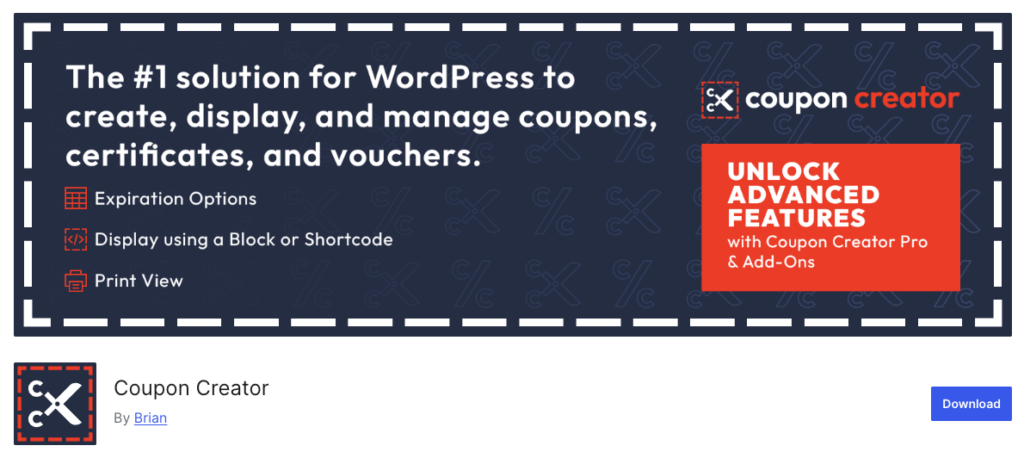
Coupon Creator is a lightweight, free plugin for displaying coupon deals visually on pages and posts using shortcodes. It does not create WooCommerce discount rules or coupon codes — it creates attractive visual coupon displays for blog posts, deal pages, and promotional content. At only +0.04 seconds page load impact, it’s the lightest plugin on this list.
Key features:
- Shortcode-based coupon display on any page or post
- Coupon expiry date tracking — expired coupons auto-hide
- Customizable visual styles — colors, layout, branding
- Click-to-copy coupon codes — reduces typing errors
- Categorize coupons for organized deal pages
Pricing:
- Completely free. No premium version.
Pros:
- Totally free with no upsell
- Near-zero performance impact (+0.04s)
- Clean shortcode integration
Cons:
- Display only — doesn’t create WooCommerce discount rules
- No BOGO, auto-apply, or cart conditions
- Requires a separate plugin for actual discount logic
Best for: Affiliate marketers, coupon deal pages, and bloggers who want to display promotional codes visually. Also useful for stores building a dedicated seasonal deals page.
Use-Case Spotlight: Which Plugin for Which Job?
Best WooCommerce BOGO Coupon Plugin
For free BOGO: WebToffee Smart Coupons — the only free plugin with a dedicated BOGO module. For full BOGO control (tiered, cross-product, combined with dynamic pricing): [DISCO] — handles Buy X Get X, Buy X Get Y, and tiered BOGO in one place.
Best WooCommerce Bulk Coupon Generator Plugin
WooCommerce Coupon Generator for pure code generation (up to 1 million codes, free). For generating bulk codes with integrated discount logic: [DISCO] Pro or Smart Coupons by StoreApps.
Best WooCommerce URL Coupon Plugin
Advanced Coupons includes URL coupons in the free version. [DISCO] Pro also includes URL coupons as part of its full feature set.
Best Free WooCommerce Coupon Plugin
[DISCO]’s free version covers the most ground of any free option — product discounts, basic conditions, simple rules. WebToffee Smart Coupons free version wins specifically if your primary need is BOGO. Advanced Coupons free version wins if your primary need is cart conditions.
Best WooCommerce Next-Order Coupon Plugin
Retainful — built specifically for post-purchase email sequences with next-order coupon codes that expire automatically.
Best Plugin for WooCommerce Coupon Restrictions
Both [DISCO] and Advanced Coupons support deep coupon restrictions: by product, category, user role, order history, shipping method, and payment method.
Best for Coupon Import/Export
WebToffee Smart Coupons and Smart Coupons by StoreApps both include CSV import/export. For coupon export alongside order and subscription data, look for the dedicated WooCommerce Order/Coupon/Subscription Export Import plugin.
Free vs. Paid: Which WooCommerce Coupon Plugin Is Right for You?
You can get away with a free plugin if:
- You only need simple percentage or fixed discounts
- You need basic BOGO deals (WebToffee’s free version covers this)
- You’re just getting started and want to test before investing
- Your store has under ~50 products and simple promotional needs
You should pay for a premium plugin if:
- You run regular flash sales that need precise scheduling
- You want coupons to auto-apply based on cart conditions
- You’re running affiliate or referral programs with URL coupons
- You need user role pricing (wholesale vs. retail)
- You’re managing more than a handful of active promotions simultaneously
- Coupon revenue is a meaningful part of your store’s growth strategy
For most growing WooCommerce stores, the ROI on a $79-$99/year coupon plugin is realized within the first promotion. One successful BOGO campaign or abandoned cart recovery sequence pays for the plugin many times over.
Coupon Management & Import/Export in WooCommerce
Managing hundreds of coupon codes across campaigns can get unwieldy fast. A few tools specifically designed for coupon operations:
Bulk generation at scale: WooCommerce Coupon Generator (free) handles up to 1 million codes per session — no other plugin matches this for raw volume. For generation combined with rule logic, [DISCO] Pro and Smart Coupons (StoreApps) both include built-in bulk generation.
Import/export: Smart Coupons (StoreApps) and WebToffee Smart Coupons both offer CSV import/export. The dedicated “Order/Coupon/Subscription Export Import” plugin handles cross-entity exports if you need coupon data alongside order records.
Coupon management dashboard: [DISCO] provides the most complete management overview — a centralized dashboard showing all active rules, their conditions, usage stats, and revenue attribution in one view.
What Real Store Owners Say?
Beyond ratings and feature pages, we looked at what WooCommerce store owners actually recommend in Reddit threads and WordPress support forums.
“Don’t install multiple coupon plugins.” This comes up consistently. Running two discount engines simultaneously causes coupon stacking conflicts, broken rule priority, and extremely difficult-to-debug pricing issues. Experienced developers on r/woocommerce uniformly recommend picking one comprehensive plugin and sticking with it.
“URL coupons are essential for email campaigns.” Multiple store owners report that shareable URL coupons — where clicking a link auto-applies the discount at checkout — outperform traditional coupon codes in email campaigns because they remove the friction of copying and pasting a code.
“Always test on staging first.” The most common expensive mistake: forgetting to set an end date on a flash sale rule, which turns a 24-hour deal into a permanent discount. Clone your store to a staging environment, configure and test thoroughly, then push to production.
“Free plugins often aren’t truly free.” Store owners frequently call out plugins that advertise “free” versions but lock every useful feature behind premium. The genuinely capable free options are [DISCO], WebToffee Smart Coupons, and Advanced Coupons — all have free versions that actually work for real use cases.
“Performance matters, especially on checkout.” Any plugin that slows down cart and checkout pages is a conversion killer. The lightest options in our test: Coupon Creator (+0.04s), [DISCO] (+0.08s), and Advanced Coupons (+0.11s).
Which WooCommerce Coupon Plugin Should You Pick? – Decision Guide
| Your primary need | Best plugin | Why |
|---|---|---|
| All-in-one: coupons + dynamic pricing + BOGO + auto-rules | DISCO | Only plugin that does everything in one place |
| BOGO + cart conditions, native WooCommerce UI | Advanced Coupons | Best cart condition builder, free BOGO |
| Gift cards + store credit system | Smart Coupons (StoreApps) | Purpose-built, 13-year track record |
| Free BOGO (no budget) | Smart Coupons (WebToffee) | Only free plugin with dedicated BOGO |
| Wholesale / B2B tiered pricing | YITH Dynamic Pricing | Quantity tiers + user role pricing |
| Side cart + AOV optimization | FunnelKit Cart | Progress bars + upsells |
| Bulk code generation (free) | Coupon Generator | Up to 1M codes, zero cost |
| Abandoned cart + coupon emails | Retainful | Email automation + coupon delivery |
| Coupon popups + exit-intent | OptinMonster | Best popup tool for coupon display |
| Gift cards as products | YITH Gift Cards | Customizable templates, balance tracking |
| Visual coupon display on pages | Coupon Creator | Lightest plugin, fully free |
FAQ – Best WooCommerce Coupon Plugins
What is the best WooCommerce coupon plugin overall?
DISCO is our top pick for 2026. It handles both traditional coupon codes and automatic discount rules — BOGO, tiered pricing, cart-based discounts, URL coupons, user role pricing, coupon scheduling, and bulk generation — all in a single plugin. The free version is genuinely capable, and the Pro version at $[X]/year offers the best value on this list.
Does WooCommerce have built-in coupon support?
Yes, but it’s basic. WooCommerce’s native system supports percentage discounts, fixed cart discounts, fixed product discounts, usage limits, and expiry dates. It does not support BOGO deals, auto-apply, URL coupons, cart conditions, tiered pricing, or bulk code generation. A coupon plugin is needed for any of those.
Can I use multiple WooCommerce coupon plugins at the same time?
Technically yes, but it’s strongly not recommended. Running two discount engines simultaneously causes stacking conflicts, broken rule priority, and difficult-to-debug pricing problems. Pick one comprehensive plugin and configure it fully. DISCO is designed to replace the need for multiple specialized plugins.
How do I auto-apply coupons in WooCommerce without a plugin?
You can’t — WooCommerce’s core system doesn’t support automatic coupon application. You need a plugin like DISCO or Advanced Coupons to set conditions (cart total, specific products, user role) that trigger automatic discount application when met.
What is the best free WooCommerce coupon plugin?
DISCO’s free version covers the most ground — product discounts, basic conditions, simple rules. WebToffee Smart Coupons wins specifically for free BOGO. Advanced Coupons wins if your focus is cart conditions. WooCommerce Coupon Generator is the best free option purely for bulk code generation.
What is a URL coupon in WooCommerce?
A URL coupon is a shareable link that automatically applies a discount when clicked — no code entry required from the customer. Extremely effective in email campaigns and social media promotions because it removes friction. Both [DISCO] Pro and Advanced Coupons support URL coupons.
How do I create bulk WooCommerce coupon codes?
A URL coupon is a shareable link that automatically applies a discount when clicked — no code entry required from the customer. Extremely effective in email campaigns and social media promotions because it removes friction. Both DISCO Pro and Advanced Coupons support URL coupons.
What’s the difference between a WooCommerce coupon and a discount rule?
A coupon requires a customer to enter a code at checkout. A discount rule applies automatically when conditions are met — no code needed. Some plugins (like DISCO) handle both. Coupons suit marketing campaigns and one-time promotions; discount rules suit always-on promotions like bulk pricing or category discounts.
How do I prevent coupon abuse in WooCommerce?
Use usage limits (per coupon total and per customer), email verification requirements, user role restrictions, and purchase history conditions. DISCO and Advanced Coupons both support all of these. Never run unlimited-use coupons without an expiry date.
Can WooCommerce coupon plugins handle coupon restrictions?
Yes — [DISCO], Advanced Coupons, and WebToffee Smart Coupons all support coupon restrictions by product, category, user role, minimum/maximum order value, shipping method, and payment method. For “All Products for WooCommerce” compatibility, DISCO handles product bundle coupon integration natively.
Conclusion – Our Top Picks for 2026
After hands-on testing across 12 plugins, here’s where the list lands:
#1 — DISCO: Best overall. The only plugin that handles coupon codes, automatic discount rules, BOGO, tiered pricing, URL coupons, cart conditions, coupon scheduling, and bulk generation in a single install. Free version works for most basic stores; Pro is the best value on this list.
#2 — Advanced Coupons: Best for stores that want to stay within WooCommerce’s native coupon UI and need smarter rules. Free version includes BOGO and cart conditions — genuinely useful without paying.
#3 — Smart Coupons (WebToffee): Best free BOGO plugin. 30,000+ installs, clean interface, and the most capable free tier of any BOGO-focused coupon plugin.
The right WooCommerce coupon plugin is the one that matches your store’s specific needs — not the one with the most features or the highest price tag. Start with the free version of your chosen plugin, build your first promotion, and scale from there.